Table of Contents
Key takeaways
- Social listening tracks conversations across platforms, forums, and the web to surface insights that shape marketing, product, and customer experience decisions.
- A strong social listening strategy ties to specific business goals like improving sentiment, increasing share of voice, or catching crises early.
- AI-powered listening tools can analyze sentiment, detect trends in images and video, and surface insights faster than manual monitoring.
- The difference between social listening and social monitoring is depth: Monitoring tracks mentions, while listening analyzes why conversations are happening and what to do about them.
Social listening is the practice of tracking social media platforms, websites, forums, and even podcasts to understand what people say about your brand name, competitors, or industry.
It’s like having a front-row seat to real, relevant conversations across social media channels.
At a high level, social listening moves through four stages: monitoring, analysis, insights, and action.

- Monitoring: Tracking relevant conversations, including brand mentions, keywords, and competitors.
- Analysis: Looking at that data to understand sentiment (positive, negative, or neutral) and recurring themes.
- Insights: Pulling out trends, customer pain points, and unmet needs.
- Action: Acting on those insights to shape messaging, customer experience, and product decisions.
With users spending an average of 141 minutes per day on social media, social media listening turns those large volumes of conversation data into real business insight.
What is an example of social media listening?
Say a software company notices a spike in social mentions around “slow loading times” after a product update. Rather than just responding to individual complaints, the social team flags the trend to product engineering, who prioritize a performance fix in the next sprint.
That’s social media listening in action: spotting a pattern across conversations, understanding the underlying issue, and routing the insight to the team that can solve it.
Social media monitoring tracks what people are saying, whereas social listening looks at why they’re saying it, and what to do next.
Here’s how they compare:
Social monitoring | Social listening | |
|---|---|---|
Focus | What people are saying | Why people are saying it |
Goal | To track conversations online and reply quickly | To learn from those conversations and improve messaging, products, and customer support |
Data | Mentions, comments, DMs | Conversations, sentiment, patterns |
Level of detail | Surface-level | Deeper understanding |
Timeframe | Reactive and real-time | Ongoing and strategic |
Example | Responding to a customer complaint about shipping | Identifying that shipping complaints spike every Friday and flagging a logistics issue |
Both are valuable. Monitoring keeps you responsive in the moment, while listening helps you make smarter decisions over time. Most teams need both working together.
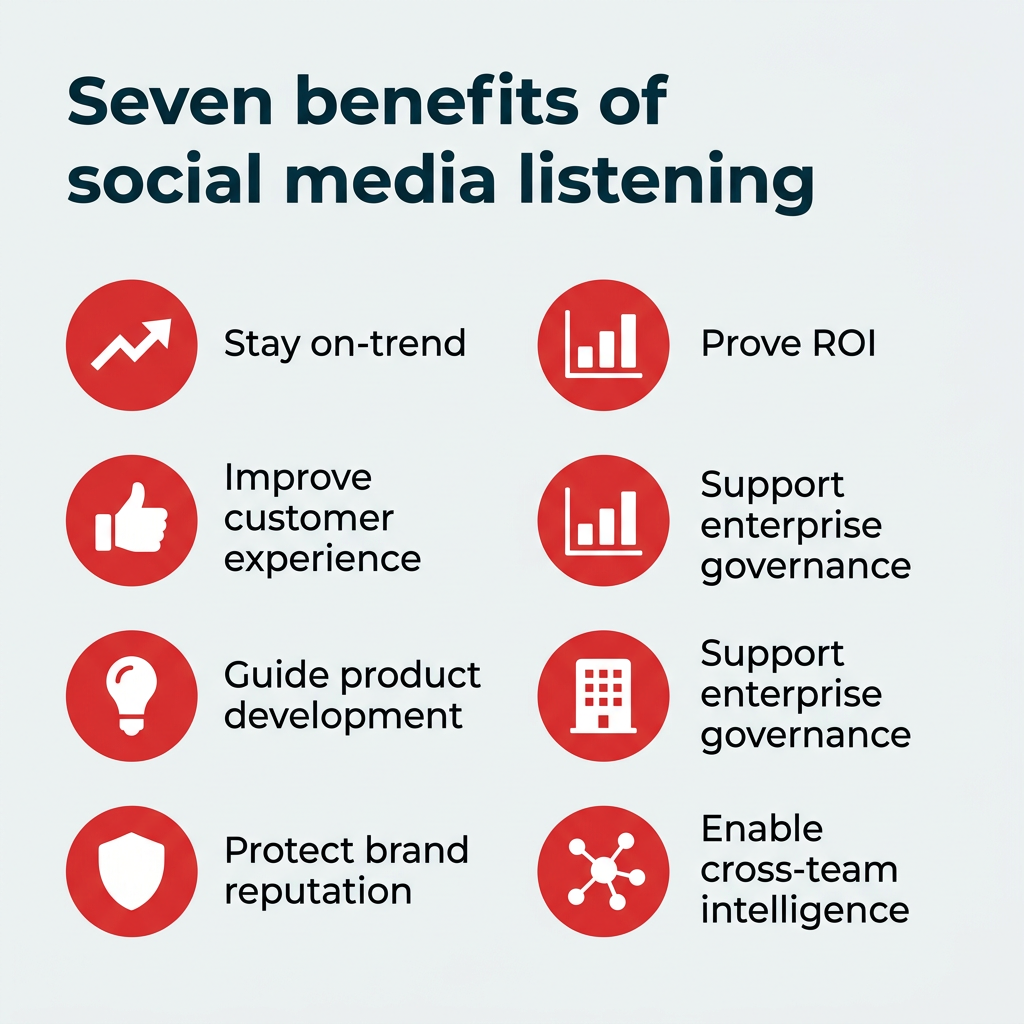
Social listening turns ongoing conversations into insight, helping you drive smarter decisions across marketing, product, and support.
Here’s why it’s a must for any social media strategy:
- Stay on-trend. Social media listening tools can spot trending topics, keeping your branded content culturally relevant.
- Improve customer experience. Catch pain points early and improve your processes accordingly. It can also enhance customer advocacy by giving you a behind-the-scenes look at what customers want.
- Guide product development. Build an entire product roadmap (or validate an existing one) through customer feedback.
- Protect brand reputation. Spot negative sentiment or potential crises fast and react immediately (sometimes even turning these situations into publicity wins).
- Prove ROI. With global ad spend expected to exceed 1 trillion dollars for the first time in 2026, social listening can help advertisers get more bang for their buck. It ties insights to metrics like engagement, share of voice, and sentiment, showing how your marketing campaigns deliver on business goals.
- Support enterprise governance. For organizations managing multiple brands, regions, or business units, social listening provides a centralized view of how each is perceived, helping teams maintain consistency and flag compliance risks early.
- Enable cross-team intelligence. Listening insights don’t just serve marketing. Product, customer care, HR, and leadership teams all benefit when conversation data is shared and acted on across the organization.
Here’s how Brian Wright, Social Media Listening and Intelligence Leader at Wells Fargo, summed it up in a conversation with eMarketer: “Social listening provides real-time insights for strategic decision-making, especially during change.”
Social listening is your ticket to smarter marketing campaigns and decision-making across teams.
Social listening covers a range of techniques, each designed to surface a different type of insight. Here are the four most common approaches and how they work in practice.
What is sentiment analysis?
Sentiment analysis categorizes mentions of your brand, product, or industry as positive, negative, or neutral. It gives you a real-time read on brand health and helps you spot shifts in perception before they escalate.
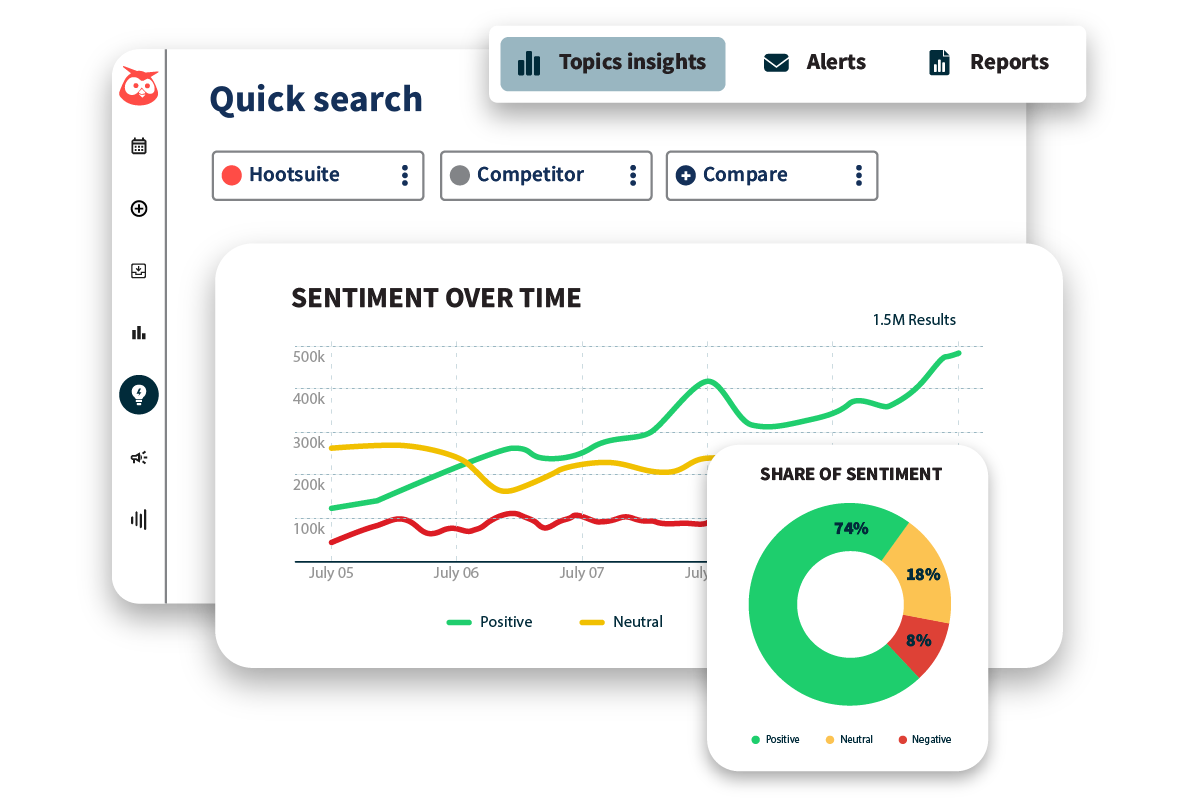
Modern listening tools use AI to handle sentiment detection at scale, analyzing thousands of mentions across languages and platforms in minutes rather than hours.
What is trend tracking?
Trend tracking surfaces emerging topics, hashtags, and conversations gaining momentum in your space. It helps marketing teams stay ahead of cultural moments and plan content that resonates while a topic is still rising.
This technique is especially useful for campaign planning, where timing can make the difference between relevance and noise.
What is competitor analysis in social listening?
Competitor analysis through social listening means monitoring what people say about rival brands, not just your own. You can identify their common pain points, spot gaps in their offerings, and position your brand as the better alternative.
Tracking competitor mentions alongside your own also gives you a clear picture of share of voice in your market.
What is keyword and hashtag monitoring?
Keyword and hashtag monitoring is the foundation of any listening setup. It involves tracking branded terms, product names, industry jargon, and relevant hashtags to capture the full scope of conversations that matter to your business.
This technique feeds directly into query setup (covered in the strategy section below) and works best when you include common misspellings, abbreviations, and slang your audience actually uses.
To build a social media listening strategy, define clear goals, choose the right tools, set up targeted queries, analyze conversation data, and continuously measure and optimize results.
Let’s break it down, step by step:
- Step 1: Set clear goals
- Step 2: Pick the right social listening tools
- Step 3: Set up your queries
- Step 4: Analyze and share the data
- Step 5: Measure and optimize
Step 1: Set clear goals
Your social listening strategy should tie to specific business goals.
Want to boost brand awareness? Monitor share of voice. Need to optimize customer experience? Track negative sentiment.
Here are the common use cases for social listening:
- Brand monitoring: Track mentions of your brand to gauge sentiment.
- Competitive analysis: Monitor conversations happening around your competitors to spot common pain points and market gaps.
- Product development: Gather feedback for new and improved products and features.
- Crisis management: Spot potential crises in their early moments, and address them before they cause damage.
- Social media marketing: Strengthen content creation efforts by understanding what resonates.
Use SMART (specific, measurable, achievable, relevant, time-bound) goals to stay focused. For example, “Increase positive sentiment by 10% in Q1 by responding to 90% of customer mentions,” is a well-formulated goal.
Step 2: Pick the right social listening tools
You don’t need to scroll through tweets manually. Social listening platforms should automate and scale the process for you.
Wondering how to choose a social listening tool? Here’s what to look for:
- Coverage: It should track key social platforms (including video-based networks like TikTok and YouTube, which is used by 84% of U.S. adults), websites, forums, and emerging spaces like podcasts.
- Advanced analytics: Look for features like sentiment detection and analysis, hashtag tracking, influencer monitoring, and AI-powered insights.
- Enterprise readiness: Make sure the tool can support distributed teams with the right permissions, security standards, and reporting.
Hootsuite Listening is included in every plan (and free trial), so teams can track sentiment, trending hashtags, brands, and events in real time without adding another tool to their stack. A more detailed look at tool selection follows later in this guide.
Step 3: Set up your queries
All social listening tools will allow you to track relevant keywords like your brand name, product names, or industry terms.
If you want to get more granular, use Boolean logic in your queries:
- Broad queries: “brand name” OR “brandname” (cover misspellings and abbreviations).
- Sentiment filters: “brand name” AND “love” OR “hate”.
- Competitor queries: “competitor name” AND “fail” OR “issue”.
Boolean basics help you build more precise social listening queries.
You can also include hashtags, emojis, or slang in your tracking, especially for TikTok or Snapchat. Influencer mentions and online conversations from niche communities can offer valuable insights too.
Pro tip: Try our free (no sign in required) Boolean query generator to get started. Just tell it what you want to search for and it will build a full search that you can add to your social listening tool.
Step 4: Analyze and share the data
Once your queries are running, the real work begins: making sense of what you’re hearing and getting those insights to the right people.
Start by grouping findings into clear buckets:
- Sentiment: Are mentions of your brand positive, negative, or neutral?
- Trends: What hashtags or topics are gaining traction?
- Pain points: Are there recurring complaints in your brand and product mentions?
- Opportunities: Can you spot customer needs none of your competitors are addressing?
But how do you action this data on a regular basis?
The key is creating communication lines so insights reach the right team.
For example, a marketing team might notice a spike in negative sentiment around delivery delays during a campaign launch. They flag it to customer support, giving them time to prepare responses before messages start piling up.
This makes social listening a shared intelligence resource, not just another marketing report.
Step 5: Measure and optimize
Remember the goals you set in step one? Now it’s time to see how much progress you’ve made.
Common metrics for social listening include share of voice, sentiment, response rate, engagement, and influencer impact.
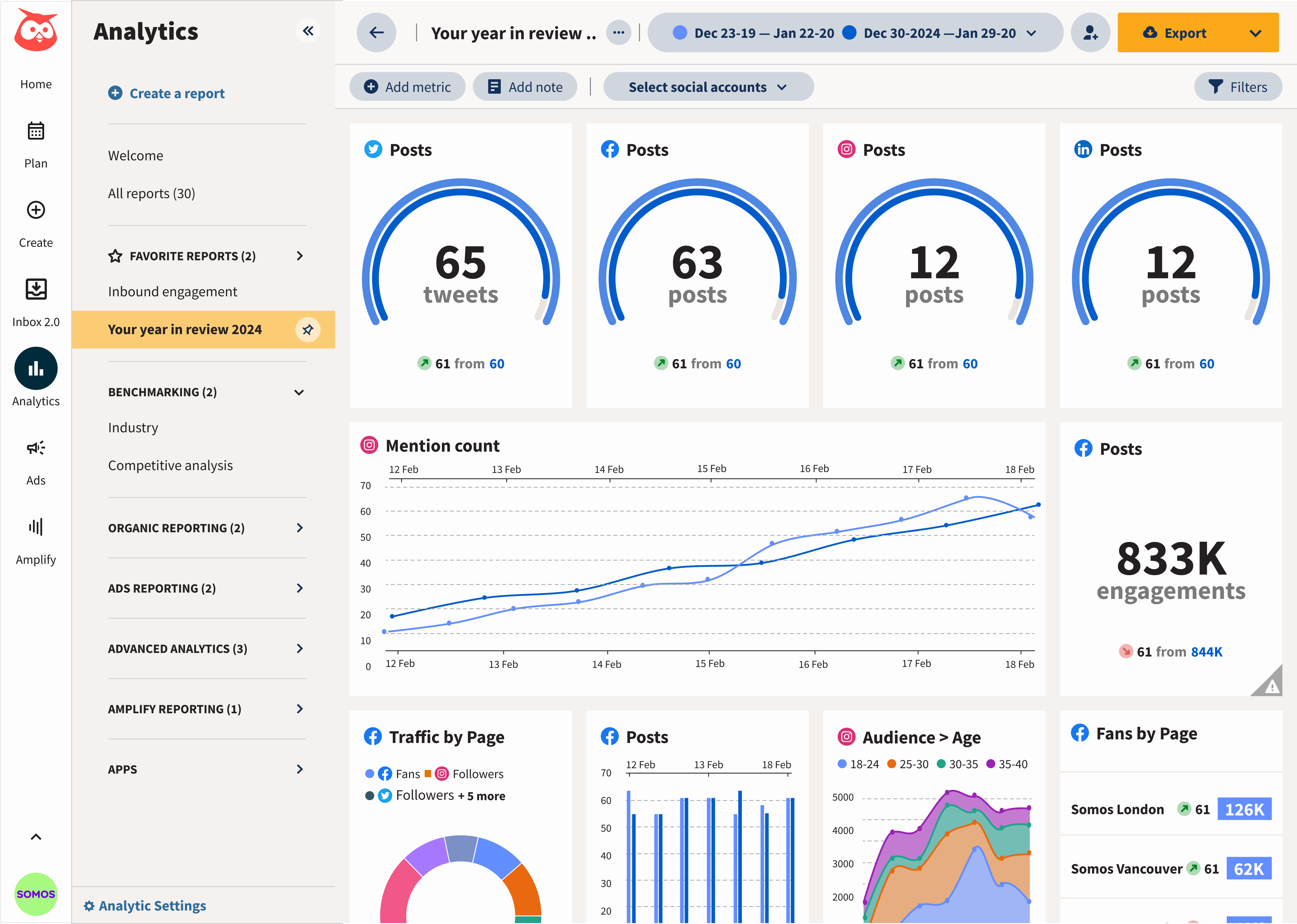
You’ll also need to package this info and share it. This is where a tool like Hootsuite comes in handy, helping teams compare performance over time with clear, easy-to-read dashboards.
For more up-to-the-minute data, you can also look at hour-by-hour reactions and even set up alerts for spikes in mentions and shifts in sentiment.
Hootsuite Analytics helps teams track social media listening metrics over time.
Choosing the right social listening platform depends on your team’s size, the channels you need to cover, and how deeply you need to analyze the data. Here’s what to prioritize when evaluating tools:
- Data breadth: The tool should cover major social networks, forums, review sites, news outlets, blogs, and emerging channels like podcasts.
- AI-powered analysis: Look for automated sentiment detection, theme clustering, and anomaly alerts that surface insights without manual digging.
- Real-time monitoring: The ability to set up instant alerts for mention spikes, sentiment shifts, or crisis signals.
- Enterprise governance: Role-based permissions, SSO, and audit trails matter for organizations managing multiple brands or regions.
- Reporting and integration: Dashboards that are easy to share with leadership, plus integrations with your existing tech stack (CRM, BI tools, messaging platforms).
Hootsuite Listening, powered by Talkwalker, checks all of these boxes. Using Quick Search, you can quickly see how conversations are trending, which themes are popping up, and how audience sentiment is shifting right now.

Quick Search in Hootsuite Listening shows real-time sentiment analysis.
Hootsuite Listening is included in every plan, so you can start tracking conversations without bolting on a separate tool. Explore Hootsuite Listening to see the full feature set.
Want to stand out? These tips, inspired by real-world wins, will sharpen your social listening strategy.
How do you build a sentiment response template?
Create a playbook for responding to mentions based on their sentiment score: positive, negative, or neutral. This helps your team scale response rates and lower response times.
For distributed teams managing multiple brands or regions, a shared template also keeps tone and messaging consistent, no matter who’s responding.
Why should you monitor competitors consistently?
Track competitors’ brand mentions, hashtags, or pain points. Spot their weaknesses (e.g., slow customer support) and position your brand as the fix.
You’ll also catch emerging industry trends early using social media monitoring tools that surface relevant conversations and demographics data.
How do you set up influencer alerts?
Track mentions from influential accounts, like HelloFresh did, to tap into high-stakes conversations and validate your digital marketing efforts.
The meal kit delivery service set up real-time alerts for mentions from high-level influencers to never miss an opportunity to connect with an engaged target audience. For authentic reach, consider engaging microinfluencers as well, since younger audiences tend to trust them most.
You can do this in Hootsuite Listening by popping over to the Influencers tab. See the top influencers in your space and what they’re saying.

The Influencers tab in Hootsuite Listening shows top voices in your space.
How do you integrate listening insights with your CRM and tech stack?
Social listening data becomes far more powerful when it connects to the rest of your business systems. Pipe insights into your CRM to enrich customer profiles, or route alerts to Slack channels so product and support teams see relevant signals in real time.
Hootsuite integrates with tools like Salesforce, Microsoft Teams, and Slack, making it easier to close the loop between what you hear and what you do about it.
How do you create executive-ready dashboards?
Leadership doesn’t need raw mention counts. They need clear, visual summaries that tie listening data to business outcomes like brand health, competitive positioning, and campaign performance.
Build dashboards that highlight share of voice trends, sentiment shifts, and key themes over time. Hootsuite’s customizable analytics make it straightforward to create reports that speak the language of the C-suite. Check out this guide on building social media dashboards for more detail.
These case studies show how brands turned listening insights into measurable results.
- NBA team: Used Talkwalker to analyze fan emotions, boosting video views by 352% and impressions by 46%. A 27% engagement lift across all social channels justified hiring a full-time social media lead.
- Hong Kong Airlines: Caught a pricing error via social media monitoring, fixed it fast, and saw a 4,900% engagement spike, turning a crisis into a PR win.
- HelloFresh: Tracked influencer mentions with Talkwalker, informing recipe and packaging tweaks that optimized marketing campaigns and proved ROI.
- Pharmaceutical company: Listened to MS patient conversations, leading to better support programs and messaging.
- Yves Rocher: Used social listening data to align product messaging with customer values like sustainability, strengthening brand reputation.
- Deutsche Telekom: Built a crisis response hub with Talkwalker for real-time brand monitoring, catching potential crises early.
These brands show that social listening isn’t just about collecting data. It’s a tool for smarter content creation, stronger customer support, and deeper market research.
AI has fundamentally changed what’s possible with social listening. AI-powered listening tools have moved the process from a manual, keyword-driven exercise to an automated, predictive capability.
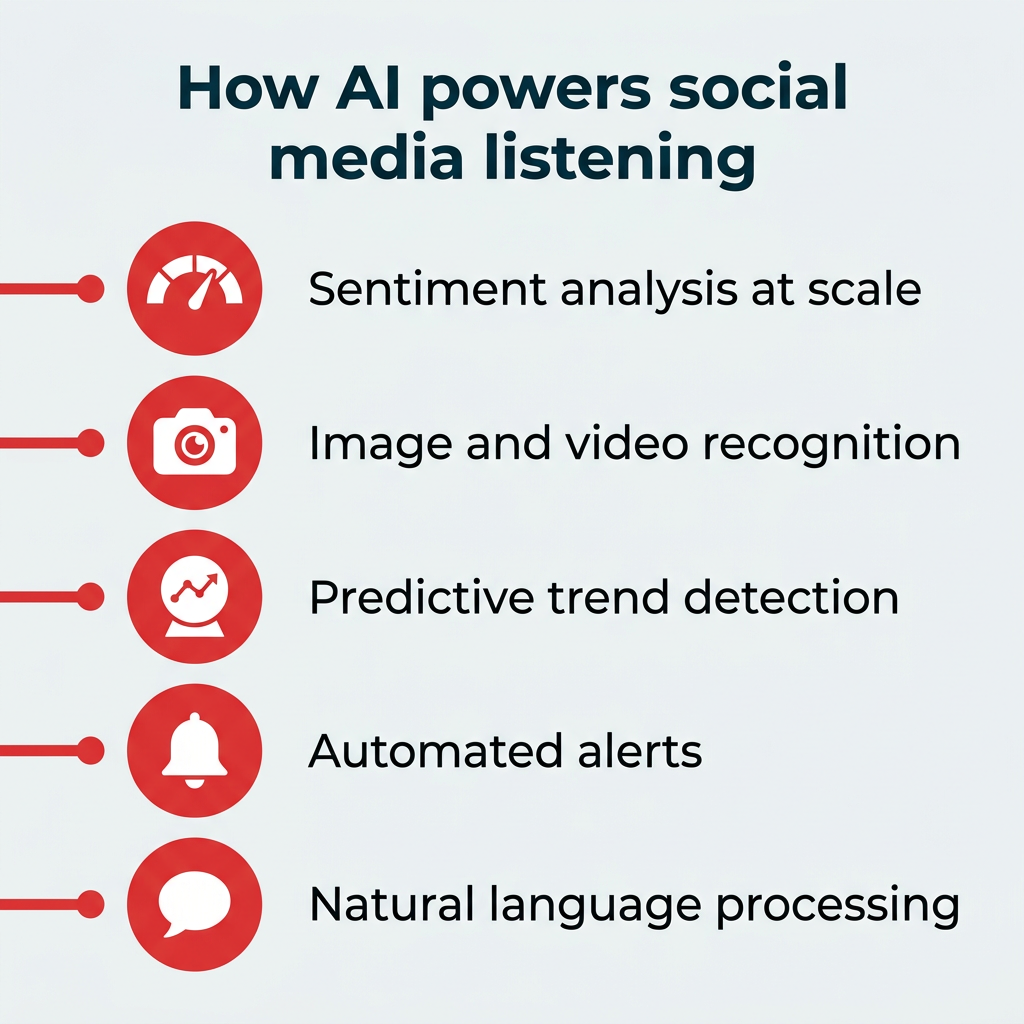
Here’s where AI makes the biggest difference:
- Sentiment analysis at scale. AI can classify thousands of mentions across languages and platforms in real time, catching nuances that basic keyword matching would miss.
- Image and video recognition. Modern tools can detect brand logos, products, and even sentiment cues in visual content, which matters as platforms like TikTok, Instagram, and YouTube dominate the conversation and video analytics grows at 13.29% CAGR.
- Predictive trend detection. AI models can identify emerging topics before they peak, giving marketing teams a head start on content planning and campaign timing.
- Automated alerts. Instead of manually checking dashboards, AI-powered systems can flag anomalies like sudden mention spikes or sentiment drops and notify the right team instantly.
- Natural language processing. NLP improvements mean listening tools are getting better at understanding context, slang, sarcasm, and multilingual conversations.
Hootsuite Listening, powered by Talkwalker, uses AI across all of these areas. From automated sentiment scoring to visual analytics that track your brand in images and video, it helps teams move from data collection to actionable insight faster.
The bottom line: AI doesn’t replace the human judgment needed to act on insights, but it dramatically reduces the time it takes to find them.
Social listening is powerful, but it’s not perfect. Understanding its limitations helps you set realistic expectations and plan around the gaps.
- Data privacy and ethics. Listening tools collect publicly available data, but how you use that data matters. Teams should have clear policies on data handling, especially in regulated industries where privacy violations carry serious legal consequences.
- Platform access restrictions. Not every platform offers the same level of data access. API changes, gated content, and private groups can limit what listening tools can capture.
- Context and sarcasm. Even with advances in NLP, automated tools can misread sarcasm, irony, or culturally specific language. Human review is still essential for nuanced analysis.
- Language and regional gaps. Coverage varies by language and geography. If your brand operates globally, verify that your tool supports the languages and regions that matter most to your business.
- Data volume overwhelm. Without clear goals and well-structured queries, listening tools can generate more noise than signal. The strategy steps outlined earlier in this guide help prevent that.
None of these limitations are reasons to skip social listening. They’re reasons to approach it with the right tools, clear goals, and a plan for human oversight where it counts.
Social listening is evolving fast, and the market is projected to hit $16.19 billion by 2029. Several trends are shaping where it goes next.
Multimodal listening is expanding beyond text. As audiences shift to video, audio, and image-first platforms, listening tools are following. Expect broader coverage of podcasts, YouTube, TikTok, and even voice-based platforms.
AI-generated content monitoring is becoming a new frontier. As AI-produced posts, reviews, and comments proliferate, brands will need tools that can distinguish organic conversation from synthetic content.
Privacy regulation continues to shape what data is available and how it can be used. Teams that build listening programs with privacy compliance baked in will be better positioned as regulations evolve.
Integration with business intelligence is closing the gap between social data and enterprise decision-making. Listening insights are increasingly flowing into BI platforms, CRMs, and executive dashboards rather than living in siloed social reports.
Real-time predictive analytics will move listening from reactive to proactive. Rather than just reporting what happened, the next generation of tools will help teams anticipate what’s coming.
The brands that listen will win. If you’re ready to turn deep insights into measurable business results, now is the time to invest in social listening.
FAQ: Social listening
What is social media listening and how does it work?
Why should enterprises invest in social media listening in 2026?
How do companies use social media listening to inform strategy?
What is the difference between social listening and social monitoring?
How do enterprises operationalize social listening across teams?
What are the best social media listening tools for enterprises?
Save time managing your social media marketing strategy with Hootsuite. Publish and schedule posts, find relevant conversions, measure results, and more — all from one dashboard. Try it free today.