Table of Contents
Key takeaways
- The best content calendar tools centralize scheduling, collaboration, and analytics across every channel, not just social media.
- Enterprise teams should prioritize tools with approval workflows, governance controls, and integrations with their existing tech stack.
- Automation features like bulk scheduling, AI content generation, and best-time-to-post recommendations save hours every week, with 81% of marketing tech leaders already piloting or using AI agents.
- The right tool depends on your team size, budget, and whether you need social-only or multi-channel content planning.
What are content calendar tools?
Content calendar tools (also called content calendar software) are platforms that allow you to plan, schedule, manage, and distribute your content across multiple channels. They help you stay organized and streamline a flow of content across your blogs, social media accounts, email campaigns, and other marketing channels.
These tools range from simple planners suited to solo creators all the way up to enterprise-grade platforms with governance, approvals, and multi-brand management, serving a content marketing industry projected to reach $107 billion in 2026.
We spoke to Carolina Horna, Freelance Creative Director and Brand Strategist, to get some expert advice. She has spent over a decade in the social media trenches and knows her way around a content calendar.
“Using a dedicated tool as opposed to a Google Doc or spreadsheet adds a level of organization and clarity that is hard to achieve without it,” says Horna.
“With a content calendar tool, I’m able to see my strategy come to life, maintain my content pillar distribution, and collaborate easily with my team.”
If you need help specifically scheduling social media posts, try these social media scheduling tools.
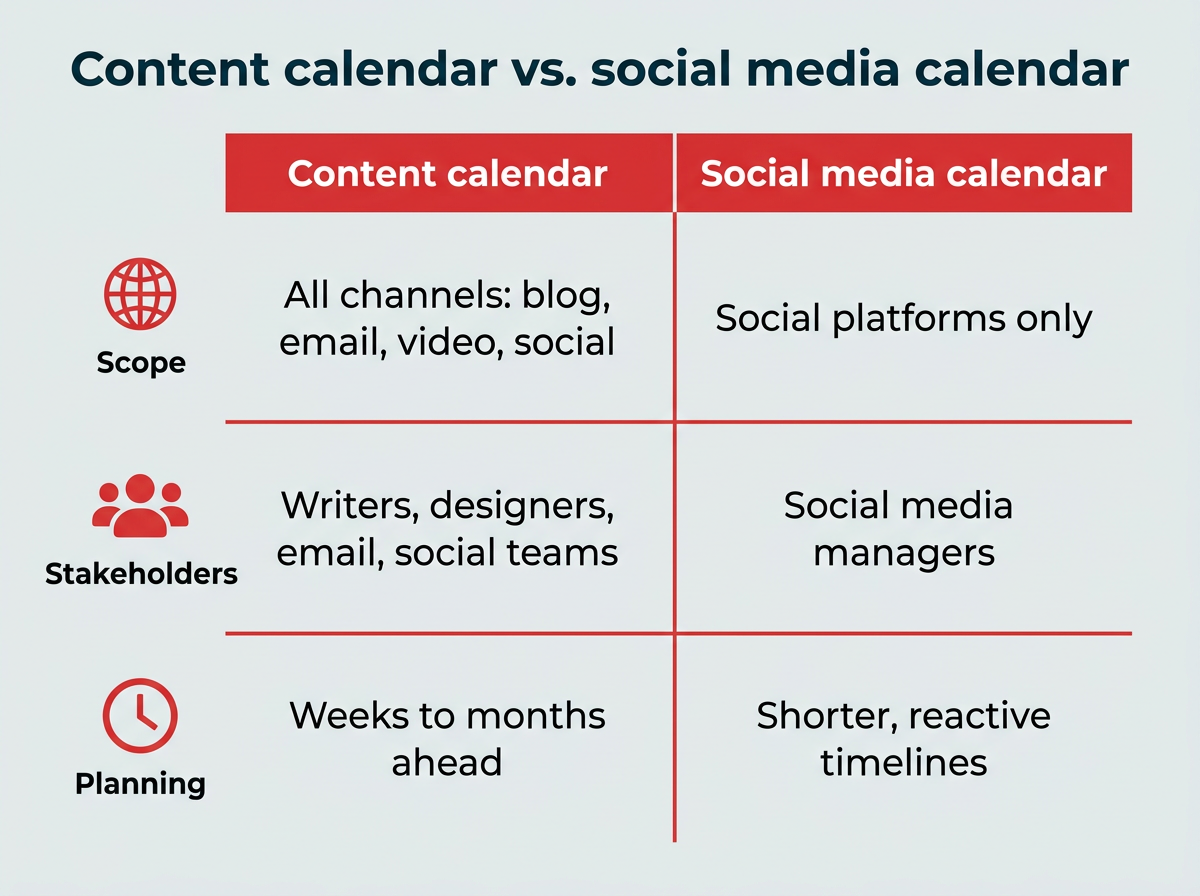
A content calendar covers all of your marketing channels, including blog posts, email newsletters, video content, podcasts, and social media. A social media calendar focuses specifically on planning and scheduling posts across social platforms like Instagram, LinkedIn, TikTok, and Facebook.
Here are the key differences:
- Scope: Content calendars map out everything your marketing team publishes. Social media calendars only cover social posts.
- Stakeholders: Content calendars typically involve writers, designers, email marketers, and social teams. Social media calendars are usually managed by social media managers alone.
- Planning horizon: Content calendars often plan weeks or months ahead across campaigns. Social media calendars tend to operate on shorter, more reactive timelines.
If your team only manages social channels, a dedicated social media calendar tool may be all you need. But if you’re coordinating content across multiple channels, a broader content calendar tool will give you the visibility and control to keep everything aligned.
What features should you look for in a content calendar tool?
When you’re sizing up content calendar tools, it’s not just about posting on time. It’s about how much smoother they can make your whole workflow.
“Within the content calendar tool I use, you’re able to toggle between different views (such as spreadsheet, calendar, kanban, etc.),” says Horna. “This helps me manage my team’s time effectively since I can create a view that suits their involvement in my project. They never need to see or sift through content that doesn’t apply to them.”
Here are the key features to look for if you want to get the most value out of your tool of choice:
- Visual planning: Calendar, kanban, and timeline views to see your content at a glance
- Scheduling and publishing: Drag-and-drop interfaces for easy scheduling across platforms, including bulk scheduling to upload and schedule posts in batches
- Optimal timing: Suggestions for the best time to publish, send, or post
- Collaboration and approvals: Approval workflows with version history, comments, and role-based permissions to control who can draft, edit, or publish
- Multi-brand management: Centralized management of multiple brand accounts across regions or sub-brands
- Brand governance: Shared asset libraries tied to brand guidelines (logos, tone of voice, templates) with governance controls to prevent off-brand posting
- Asset management: Built-in storage for brand-approved images, logos, videos, and templates
- AI content generation: AI-powered caption writing and content suggestions
- Performance analytics: Automated reporting dashboards that track specific KPIs
- Integrations: Connections with CRMs, design tools, and communication platforms for smooth workflows
- Mobile apps: Intuitive mobile access so you can work from anywhere
- Export and sharing: Options to share calendars or performance reports with stakeholders
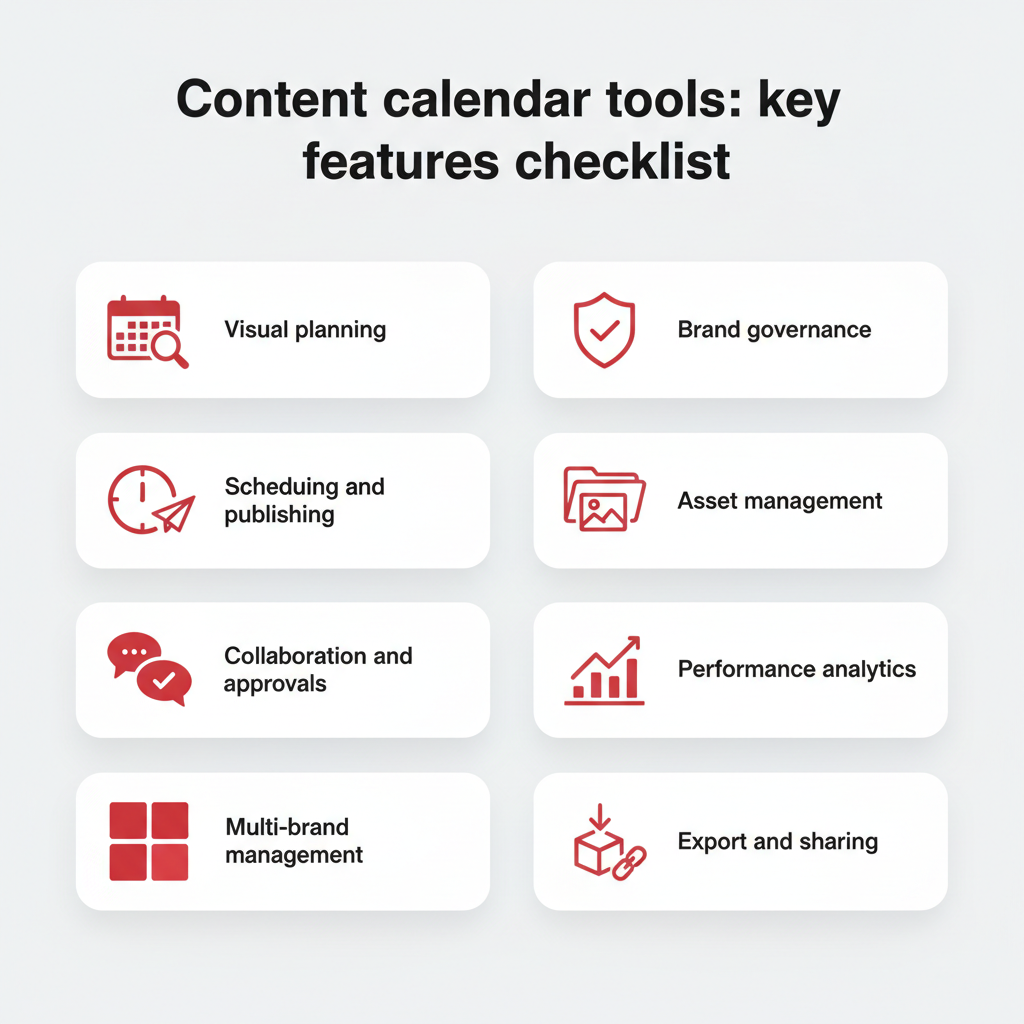
Content calendar tools: key features checklist
When it comes to choosing a tool based on its features, think of what you and your team may need on a daily basis.
“In my content calendar tool, I’ve created sections in my content forms that correspond to copywriting and design requirements,” says Horna.
“These are then filtered into separate spreadsheets for copywriters and designers to see tasks and revisions. It’s a game-changer because team members only have to go to one place to see which content needs their expertise.”
Why use a content calendar tool?
A dedicated content calendar tool does more than keep you organized. It can meaningfully improve how your team plans, produces, and measures content across channels.
That matters more than ever. 58% of marketers reported feeling overwhelmed in Marketing Week’s 2025 Career & Salary Survey, and juggling multiple platforms, deadlines, and stakeholders without a centralized system is a big part of why. Meanwhile, GenAI investments are delivering ROI, with 49% of CMOs and marketing leaders citing improved time efficiency as the top benefit, making AI-powered content tools an increasingly practical choice.
Here are the core benefits:
- Time savings: Bulk scheduling and automation reduce the hours spent on repetitive publishing tasks
- Brand consistency: A shared calendar ensures your messaging, visuals, and tone stay aligned across every channel and team, especially when paired with clear social media guidelines
- Better collaboration: Built-in approval workflows and role-based permissions keep everyone on the same page without endless email threads
- Data-driven decisions: Integrated analytics help you see what’s working and adjust your strategy in real time
- Governance and compliance: Enterprise teams can enforce brand guidelines and control who publishes what, reducing the risk of off-brand or unapproved content going live with the right compliance tools
In short, content planning tools turn a chaotic content process into a repeatable, scalable system.
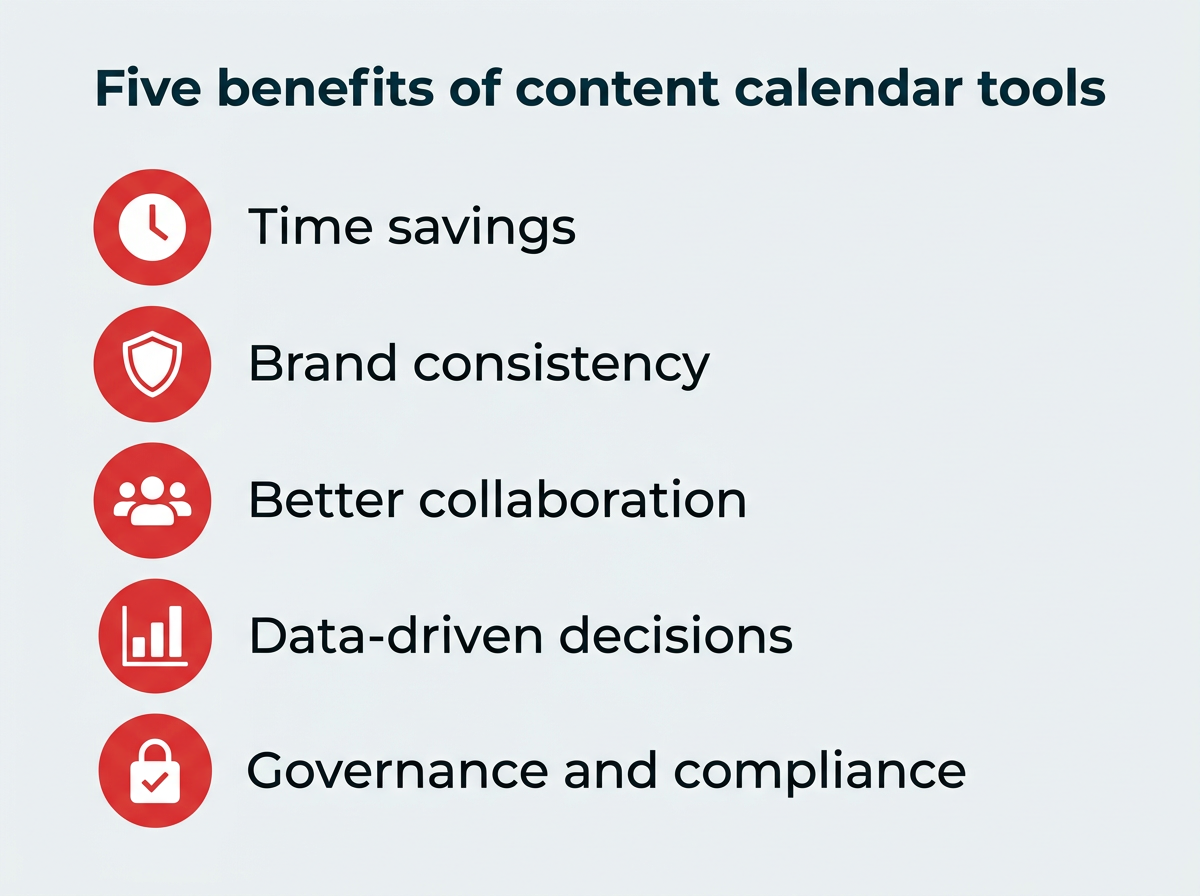
Five benefits of content calendar tools
How to choose the right content calendar tool for your team
With so many options available, how do you narrow it down? The right content calendar app for your team depends on a handful of practical factors. Here’s a framework to guide your evaluation:
- Team size and structure: Solo marketers and small teams can get by with lightweight tools like Trello. Larger teams with multiple stakeholders need platforms with role-based permissions, approval workflows, and multi-user collaboration.
- Channel coverage: If you only manage social media, a dedicated social scheduler may be enough. If you coordinate blog, email, video, and social content, look for a tool that supports multi-channel planning.
- Budget: Free tools exist, but they come with limitations. Enterprise platforms like Hootsuite and Sprinklr cost more but deliver governance, analytics, and scale that justify the investment.
- Integration requirements: Your content calendar should connect with the tools you already use, whether that’s a CRM like Salesforce, a design tool like Canva, or a communication platform like Slack.
- Approval and governance needs: Regulated industries and large organizations need built-in approval workflows and brand governance controls. If compliance matters, this is non-negotiable.
- Analytics depth: Basic tools offer post-level metrics. Enterprise platforms provide cross-channel reporting, custom dashboards, and ROI tracking that connect content performance to business outcomes.
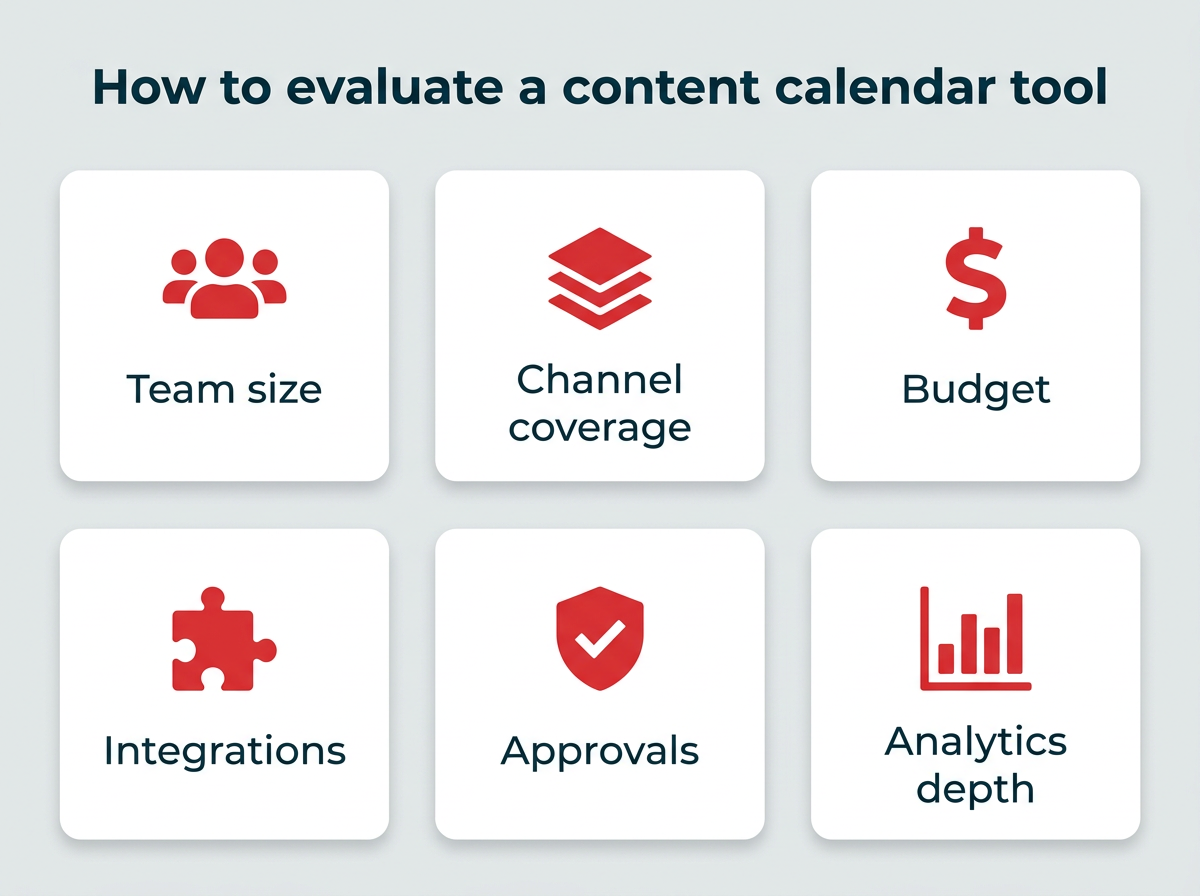
How to evaluate a content calendar tool
What are the best content calendar tools in 2026?
The best content calendar tools are the ones that match your workflow, team size, and channel needs.
We’ve put together a comparison table and detailed breakdowns of the top 12 content calendar tools in 2026 to help you find the right fit.
Tool | Best for | Key features | Pros | Cons | Pricing (as of 2026) |
|---|---|---|---|---|---|
Enterprise and all-in-one social media teams | Social media calendar, scheduling, analytics, approvals, AI-powered tools | Scales for teams, integrations, powerful reporting | Higher cost than basic tools | ||
Mid-to-large marketing teams | Project + workflow management, calendar view, task assignments | Great for collaboration, scalable workflows | Less specialized for content marketing | Free–$24.99/user/mo (Enterprise and Enterprise+ available with custom pricing) | |
Flexible individual or team setups | Customizable databases, calendar view, note-taking | Highly customizable, affordable | Requires setup, lacks automation | Free–$20/user/mo (Enterprise available with custom pricing) | |
Small marketing teams, creators, solopreneurs | Visual content calendar, media library, preview for grid & feed, hashtag suggestions | Intuitive visual planning, drag-and-drop calendar | Weaker analytics or advanced workflows vs full suites | $25 – $80/mo | |
Buffer | Solopreneurs and small marketing teams | Scheduling, basic analytics, reuse options, browser extensions, content queueing | Clean interface, easy to use, low learning curve | Limited reporting, limited collaboration in lower tiers | Free – $10/mo |
Mid to large marketing teams | Spreadsheets + database hybrid, multiple views, automations, linked records | Flexible data modelling, useful for content planning & asset management | Doesn’t natively publish to social | $20/mo per seat | |
Enterprise-level organizations | Publishing, engagement, listening, advertising, analytics, governance, omnichannel messaging | Enterprise-grade features, strong compliance/permissions | Very expensive; steep learning curve | Not publicly listed; contact Sprinklr sales for a quote | |
Solopreneurs, small marketing teams, freelancers | Design templates, brand kits, content planner, team collaboration | Strong for graphics, huge template library, intuitive | Scheduling is basic; not a full social suite | Contact for pricing | |
HubSpot | Mid to enterprise marketing teams, B2B orgs | Social publishing, CRM integration, email campaigns, automation, analytics | Unified marketing + sales view, strong automation | Expensive; social features sometimes secondary | Free and paid plans available |
Mid to large marketing teams | Boards, automations, dependencies, integrations, dashboards, forms | Flexible for structuring content workflows; good as a central hub | Not a dedicated social scheduler; requires integrations | Free–$19/seat/mo (Enterprise available with custom pricing) | |
Solopreneurs and small marketing teams | Boards, lists, cards, checklists, labels, power-ups | Intuitive; great for campaign ideation and lightweight planning | Lacks native social features; can get messy with scale | Free–$17.50/user/mo (Enterprise; rate varies by seat count) | |
Marketing teams needing a dedicated content/marketing calendar | Marketing calendar, social scheduling, workflow automation, headline analyzer | Purpose-built for content marketing; strong calendar views | Social features less robust than dedicated social tools | Free calendar; paid plans available |
Hootsuite
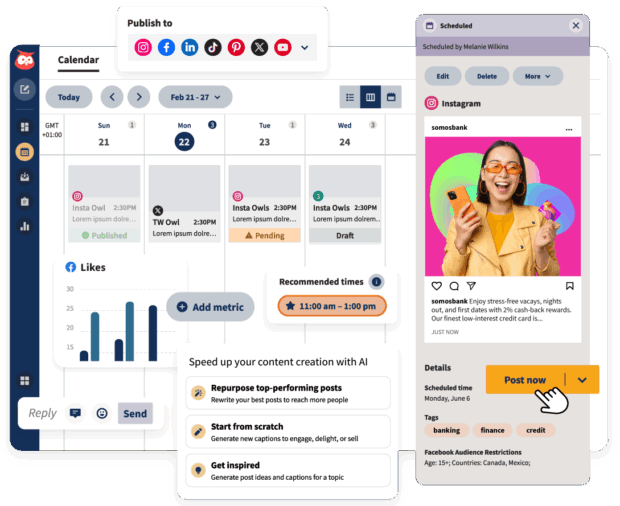
Hootsuite is our top pick for enterprise and all-in-one social media teams. Having all of your different social media channels and accounts on one platform makes executing your social media campaigns a breeze.
With Hootsuite, you’ll have an at-a-glance social media content calendar with all of your accounts in one place. You can drag-and-drop to organize scheduled posts, bulk schedule posts, and export your calendar. Your schedule will be updated in real-time.
Plus, it’s got automation built right into it, making it a superpowered social media content planner.
The AI-powered features (like OwlyWriter AI), content library, and integrations (like Canva) give your team a healthy assist when it comes to creating content in the platform. You can see the best time to post according to data from your followers.

You can assign approvals to certain team members and restrict other team members’ access, depending on their role. Workflows are pretty intuitive, so your team can create, schedule, approve, and publish posts without any bumps.
For enterprise teams managing multiple brands or regions, Hootsuite’s governance controls and multi-brand management capabilities keep everything consistent and on-brand. And with Talkwalker-powered social listening, you can track conversations, spot trends, and identify content gaps across your industry.
You’ve also got access to enterprise-level analytics tools that’ll help you optimize your social media strategy.

But don’t take our word on it alone. Hear from Witness Change on how switching to Hootsuite dramatically reduced their time spent scheduling and updating posts. Functionality like our all-in-one platform, where creation, scheduling, and publishing all take place on a single calendar, sure helped.
Or read how Stocksy had their best month ever using Hootsuite. “We’re using all the features of the platform,” says Christina Minshull, Head of Marketing at Stocksy.
“We’re publishing and scheduling, we use it for approval systems and crisis management, we use the content library to help with efficiency, tagging to make meaningful decisions, and use the listening platform to see what our audience is talking about and see where content gaps exist.”
Best for: Teams or midsize to enterprise brands that need an all-in-one social dashboard.
Top features:
- Multi-social media platform posting and scheduling
- Unified inbox
- Lets you connect and manage dozens of brand accounts from a single dashboard
- Analytics and custom reporting
- AI social listening
- AI-powered features like OwlyWriter AI
- Workflows and approval processes capabilities
Pros:
- Full feature set
- Smooth integrations
- Strong analytics and custom reporting
- AI-powered social listening
Cons:
- Steep price jump for more advanced tiers
- Complexity not necessary for smaller operations
- Not the cheapest on the market
Pricing: Contact for pricing
Asana
Asana is a project management platform that doubles as a solid content calendar for mid-to-large marketing teams. Its calendar, list, and timeline views make it easy to visualize what’s in progress and what’s coming up.
Best for: Mid-to-large marketing teams that need project and workflow management alongside content planning.
Top features:
- Project and workflow management with calendar view
- Task assignments, dependencies, and due dates
- Multiple views (list, board, timeline, calendar)
- Integrations with Slack, Google Workspace, and more
Pros:
- Great for collaboration and scalable workflows
- Flexible enough for content planning and broader project management
Cons:
- Less specialized for content marketing or social scheduling
- Can feel complex for smaller teams
Pricing: Free–$24.99/user/mo (Enterprise and Enterprise+ available with custom pricing)
Notion
Notion is a highly customizable workspace that lets you build your own content calendar from scratch using databases, templates, and calendar views. It’s a blank canvas, which is both its strength and its challenge.
Best for: Flexible individual or team setups that want full control over their content planning structure.
Top features:
- Customizable databases with calendar, board, and table views
- Note-taking and documentation alongside planning
- Templates for content calendars, editorial workflows, and more
- Real-time collaboration
Pros:
- Highly customizable and affordable
- Works well as a central knowledge base and planner
Cons:
- Requires setup time to build your calendar
- Lacks native publishing automation or social scheduling
Pricing: Free–$20/user/mo (Enterprise available with custom pricing)
Later
Later is a visual-first content calendar tool built for social media scheduling. Its drag-and-drop calendar and visual feed preview make it especially popular with Instagram-focused teams and creators.
Best for: Small marketing teams, creators, and solopreneurs focused on visual platforms.
Top features:
- Visual content calendar with drag-and-drop scheduling
- Media library for organizing images and videos
- Instagram grid and feed preview
- Hashtag suggestions and analytics
Pros:
- Intuitive visual planning
- Strong for Instagram and TikTok workflows
Cons:
- Limited analytics compared to enterprise platforms
- Primarily focused on social media, not multi-channel content
Pricing: $25 – $80/mo
Buffer
Buffer is a straightforward social media scheduling tool designed for solopreneurs and small teams. Its clean interface and low learning curve make it easy to queue and publish posts across multiple platforms.
Best for: Solopreneurs and small marketing teams looking for simple, affordable social scheduling.
Top features:
- Scheduling and content queueing
- Basic analytics and performance tracking
- Browser extensions for easy content sharing
- Post reuse options
Pros:
- User-friendly interface
- Affordable pricing for small teams
- Quick setup and minimal learning curve
Cons:
- Limited reporting capabilities
- Collaboration features restricted in lower tiers
Pricing: Free – $10/mo
Airtable
Airtable combines the simplicity of spreadsheets with the power of a database, making it a flexible option for content planning and asset management. Its multiple views and automation features support complex workflows.
Best for: Mid to large marketing teams that need flexible data modeling alongside content planning.
Top features:
- Spreadsheet and database hybrid with linked records
- Multiple views including calendar, kanban, and gallery
- Workflow automations
- Custom fields and filtering
Pros:
- Highly flexible for content planning and asset tracking
- Strong collaboration features
- Customizable to fit your workflow
Cons:
- No native social media publishing
- Requires setup and configuration
Pricing: $20/mo per seat
Sprinklr
Sprinklr is an enterprise-grade platform that goes beyond content calendars to offer comprehensive social media management, customer experience, and unified marketing capabilities across channels.
Best for: Large enterprise organizations needing robust governance, compliance, and omnichannel management.
Top features:
- Publishing, engagement, and listening across channels
- Advanced governance and permissions
- Advertising and analytics integration
- Omnichannel messaging and customer care
Pros:
- Enterprise-grade compliance and security
- Comprehensive feature set
- Strong for global, multi-brand management
Cons:
- Very expensive
- Steep learning curve and implementation time
Pricing: Not publicly listed; contact Sprinklr sales for a quote
Canva Pro
Canva Pro combines design tools with content planning features, making it ideal for teams that prioritize visual content creation alongside scheduling. Its huge template library and brand kits streamline design workflows.
Best for: Solopreneurs, small marketing teams, and freelancers who create a lot of visual content.
Top features:
- Design templates and brand kits
- Content planner with scheduling
- Team collaboration tools
- Asset library and brand management
Pros:
- Strong design capabilities
- Intuitive interface
- Massive template library
Cons:
- Scheduling features are basic
- Not a full-featured social media management suite
Pricing: Contact for pricing
HubSpot
HubSpot offers social publishing as part of its broader marketing automation platform, integrating content scheduling with CRM, email campaigns, and lead management.
Best for: Mid to enterprise marketing teams and B2B organizations that want social scheduling integrated with marketing and sales tools.
Top features:
- Social publishing and scheduling
- CRM integration
- Email campaign automation
- Analytics and reporting
Pros:
- Unified view of marketing and sales activities
- Strong automation capabilities
- Seamless CRM integration
Cons:
- Expensive, especially at higher tiers
- Social features can feel secondary to broader platform
Pricing: Free and paid plans available
Monday.com
Monday.com is a work operating system that can be customized for content calendar management. Its boards, automations, and integrations make it a flexible hub for marketing workflows.
Best for: Mid to large marketing teams that want a central hub for content workflows and project management.
Top features:
- Customizable boards and workflows
- Automations and dependencies
- Dashboards and reporting
- Integration with popular tools
Pros:
- Highly flexible for structuring workflows
- Good for cross-team collaboration
- Visual project tracking
Cons:
- Not a dedicated social scheduler
- Requires integrations for publishing
Pricing: Free–$19/seat/mo (Enterprise available with custom pricing)
Trello
Trello uses a simple board-and-card system that works well for lightweight content planning and campaign ideation. Its power-ups extend functionality for teams that need more features.
Best for: Solopreneurs and small marketing teams that need simple, visual content planning.
Top features:
- Boards, lists, and cards for organizing content
- Checklists and labels
- Power-ups for extended functionality
- Simple drag-and-drop interface
Pros:
- Intuitive and easy to learn
- Great for campaign ideation and brainstorming
- Affordable for small teams
Cons:
- Lacks native social media features
- Can become disorganized as content volume grows
Pricing: Free–$17.50/user/mo (Enterprise; rate varies by seat count)
CoSchedule
CoSchedule is a purpose-built marketing calendar designed specifically for content marketing teams. It combines social scheduling with workflow automation and content organization.
Best for: Marketing teams that need a dedicated content and marketing calendar with built-in social scheduling.
Top features:
- Marketing calendar with multiple views
- Social scheduling and publishing
- Workflow automation
- Headline analyzer and content optimization tools
Pros:
- Purpose-built for content marketing
- Strong calendar views and planning features
- Integrated workflow tools
Cons:
- Social features less robust than dedicated social tools
- Can be pricey for smaller teams
Pricing: Free calendar; paid plans available
Frequently asked questions
What is the best free content calendar tool?
How do enterprise teams choose content calendar tools?
Can content calendar tools integrate with my CRM?
What’s the difference between a content calendar tool and a social media management platform?
Do content calendar tools support AI content generation?
How much should I budget for a content calendar tool?
Save time managing your social media marketing strategy with Hootsuite. Publish and schedule posts, find relevant conversions, measure results, and more — all from one dashboard. Try it free today.