Table of Contents
Key takeaways
- Bluesky does not have a built-in scheduling tool. You can schedule Bluesky posts using third-party platforms like Hootsuite.
- Scheduling frees up time for real-time engagement, which matters on Bluesky where authentic conversation drives visibility.
- Enterprise teams can use scheduling tools to set up approval workflows, collaborate across time zones, and maintain brand governance on Bluesky.
- Always pause scheduled content when context shifts, and use tracking parameters to measure the impact of your Bluesky posts.
Does Bluesky have a native post scheduler?
No. As of 2026, Bluesky only supports real-time posting, despite 57% user growth in 2025. There is no built-in way to compose a post now and have it publish later.
That means if you want to schedule posts on Bluesky, you need a third-party scheduling tool. Several options exist (more on those below), and the good news is that connecting one takes just a few minutes.
Why should you schedule Bluesky posts?
Social media managers and teams already have a lot on their plates. (Especially “teams” that are made up of just one person.) In-depth research from Hootsuite found that brands should aim to post multiple times per day on most social platforms, which can mean dozens of posts per week across channels. And that was before Bluesky, which grew to approximately 40 million users, was added to the list of places brands need to show up.
Constantly switching between social media apps wastes precious time and can disrupt your cognitive performance. Batching your content creation and scheduling it in advance helps you stay focused and consistent.
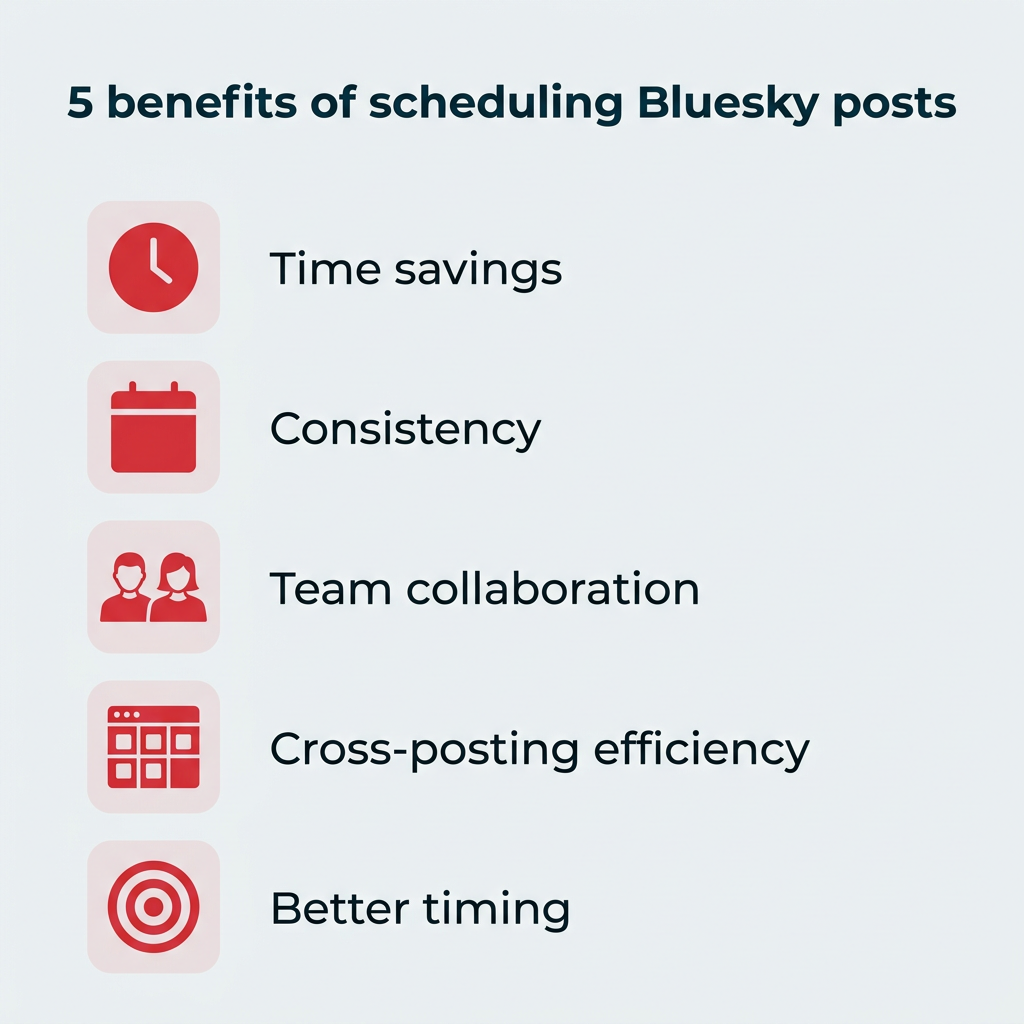
Here are the main benefits of scheduling your Bluesky content:
- Time savings: Batch-create posts in focused work sessions instead of switching between apps throughout the day.
- Consistency: Maintain a steady posting cadence without needing to be online around the clock.
- Team collaboration: Set up workflows and approvals so stakeholders can review content before it goes live.
- Cross-posting efficiency: Create customized posts for Bluesky and other platforms from a single dashboard.
- Better timing: Schedule posts to land when your audience is most active, even if that’s outside your working hours.
How do you schedule Bluesky posts?
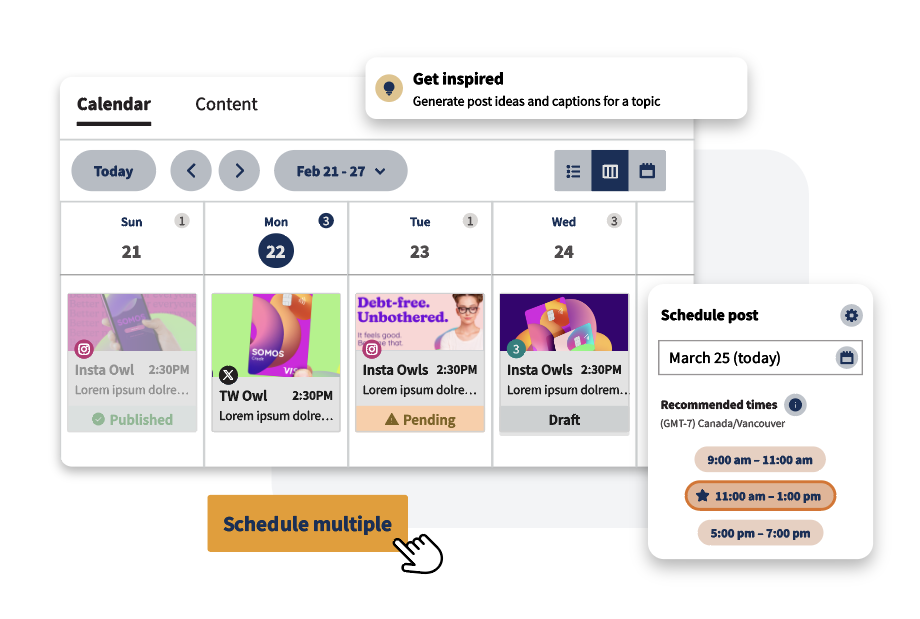
Bluesky does not have a native scheduling tool. However, you can schedule posts on Bluesky directly from your Hootsuite dashboard.
Here’s the quick version:
- Connect your Bluesky account to Hootsuite.
- Compose your post.
- Schedule it for later.
Let’s walk through each step in detail.
Tip: If you don’t have a Bluesky account set up yet, or you’re not sure why your business should be using this newer social media platform, we’ve got a whole blog post walking you through the Bluesky basics.
Step 1: Add your Bluesky account to Hootsuite
Note that you only have to do this once! When you return to schedule more Bluesky content in the future, you can start at step 2.
In your Hootsuite dashboard, click your profile icon, then click Social accounts and teams.

If you have an Advanced or Enterprise account, click Manage, then Add a social account to connect your Bluesky account to your Hootsuite organization. Or, click +Private account to add your Bluesky account to your profile only.
If you have a Standard account, click New, then Connect social accounts.
Choose Bluesky from the list of account types and follow the authentication instructions to authenticate and connect your account.
Step 2: Compose your Bluesky post
From your Hootsuite dashboard, click Create a post at the top right, or Create > Post from the left menu.
In the Publish to drop-down menu, choose your Bluesky account.

Write the caption for your post. Your caption can be up to 300 characters long, and can include @mentions, hashtags, emojis, and links.
Before you start composing, here’s a quick reference for Bluesky’s post specs and limits:
Spec | Details |
|---|---|
Character limit | 300 characters per post |
Images | Up to 4 per post (JPEG, PNG) |
GIFs | Supported (1 per post) |
Video | Up to 3 minutes, 100 MB max |
Mixed media | Not supported (you cannot combine images, GIFs, and video in a single post) |
Link previews | Auto-generated; customizable in Hootsuite |
If you add a link, you can customize the link preview with a name, description, and preview image.

Add photos, a GIF, or a video to your post (note that you cannot mix media types either in Hootsuite or natively on Bluesky). The post preview updates as you add components, so take a look to make sure you’re happy with your post.
Tip: Add alt text for your image, or add an SRT file (closed captions) for your video to make your post more accessible.
Step 3: Schedule your post
When you’re happy with your new post, click Schedule for later.

Hootsuite will automatically recommend the best times to post based on your own past posts and peak industry engagement times. These recommendations will get better as you post more to your Bluesky account.
You can choose the recommended time or manually set the time to whatever you like. When you’re ready, click Done, then Schedule.

That’s it! Your Bluesky post is scheduled and will automatically post at the selected time.
If you want to edit your post before it goes live, or change the scheduled posting time, click Plan in the left menu of the Hootsuite dashboard to open your content calendar.
You’ll see your scheduled Bluesky posts here alongside all your other social content. Just select your post, then click Edit to make your changes. If you want to delete your post instead, you can do that too.

Tip: If you want to create content to schedule for later but are not sure yet when you’d like it to post, you can save your post as a draft instead.
Just click Save as draft instead of Schedule for later. You can come back to edit your post and add it to your calendar whenever you’re ready.
What tools can you use to schedule Bluesky posts in 2026?
Several third-party tools now support Bluesky scheduling. The right choice depends on your team size, budget, and what else you need beyond basic publishing.
Here’s how the main options compare:
Tool | Free plan? | Key features | Best for |
|---|---|---|---|
Hootsuite | Free trial available | Scheduling, social listening, AI content creation, approval workflows, analytics, cross-posting | Enterprise teams and agencies managing multiple networks |
Buffer | Yes (up to 3 channels) | Scheduling, cross-posting, basic analytics | Solo creators and small teams on a budget |
Fedica | Yes (limited) | Scheduling, thread scheduling, audience analytics | Users focused on audience insights |
Metricool | Yes (limited) | Scheduling, analytics, competitor tracking | Small businesses wanting analytics alongside scheduling |
When evaluating a Bluesky scheduling tool, look for:
- Cross-posting support: Can you publish to Bluesky and your other networks from one screen?
- Analytics: Does the tool track post performance, not just publish content?
- AI features: Can it help generate content ideas or optimize your posts?
- Team support: Does it offer approval workflows, role-based access, and shared calendars?
- Pricing: Does the free tier meet your needs, or do you need a paid plan for the features that matter?
For enterprise teams, Hootsuite stands out because it combines Bluesky publishing with social listening, AI-powered content creation, and governance features like approval workflows and secure team access, all in one dashboard.
What are the best practices for scheduling posts on Bluesky?
Now that you know how to schedule posts on Bluesky, let’s look at some ways to maximize the results you see from your efforts.
Should you schedule all your Bluesky posts?
Yes, it’s a huge benefit to schedule posts on Bluesky. But that doesn’t mean you should schedule all your Bluesky posts.
On Bluesky, discussions happen in real time. One of the main appeals of this platform is its more authentic community feel. An account that only posts scheduled content does not align with the culture here.
Rather than trying to automate your whole Bluesky strategy, think of content scheduling as a way to free up time for more authentic participation. Use scheduled posts to create a consistent presence, but allow time for real-time posting of threaded posts, trending topics, and discussions.
When should you pause scheduled content?
With Bluesky’s in-the-moment feel, you need to be aware of the temperature in the room.
Major world or local events, pop culture moments, and brand crises can all drastically change the vibes of the conversation. You need to make sure you don’t drop a scheduled post into a context that’s become inappropriate while you weren’t paying attention.
First, don’t schedule your content too far in advance. A couple of weeks should be your outer limit to make sure you stay relevant.
If something does happen that changes your social media content strategy, pause all scheduled content to give yourself a chance to adjust.
How do you optimize posting times across time zones?
There’s not a lot of Bluesky-specific timing data available yet. However, Hootsuite data shows the best time to post on Threads is 8 a.m. on Tuesday, while the best time to post on X (Twitter) is from 9 a.m. to 11 a.m. on Wednesdays, Thursdays, and Fridays. Since Bluesky, now used by about one-in-ten U.S. adults, has an audience that overlaps with both platforms, these are reasonable starting points.
Because Bluesky shows posts in reverse chronological order by default, timing is critical here.
People are far more likely to see and engage with your content if you post it when they are actively using the platform. That means it’s important to stagger your posts to reach people in multiple time zones.
For example, within North America, posting around 9 a.m. Pacific time gets West Coast people in the morning, while potentially connecting with East Coast folks as they pause for lunch.
As you already saw, Hootsuite will suggest recommended posting times based on your previous results. These recommendations will get better the more you post to Bluesky.
You can also use Hootsuite Listening to see when people are posting most about a certain topic on Bluesky. Enter your topic in the Quick Search bar and choose Bluesky as your media type under filters.

Note: Make sure you post the right content for the right time of day (or week). Keep it casual in the evenings and on the weekends.
How can you repurpose and cross-post content across networks?
A social media scheduling tool like Hootsuite has a benefit we haven’t discussed yet. Rather than creating Bluesky posts in isolation, you can create customized posts to cross-promote your content on multiple social platforms, all from one screen.

This allows you to repurpose your content but adapt it to each platform for maximum engagement. On Bluesky in particular, that means aiming to sound like a real person, not a brand there primarily for social media marketing. Bluesky’s decentralized, community-driven culture rewards authenticity over polish.
Can you schedule Bluesky threads?
Threaded posts are a big part of how people share longer ideas on Bluesky. If your content strategy includes threads, check whether your scheduling tool supports them.
As of 2026, Hootsuite supports scheduling individual Bluesky posts. For threads, you can schedule each post in sequence with staggered times to replicate a thread flow. Some tools like Fedica and Buffer offer native thread scheduling for Bluesky, so this is worth considering when choosing your platform.
How can you spark discussions with scheduled posts?
Active discussion is the name of the game on Bluesky. When planning your Bluesky content calendar, make sure to dedicate some posts to questions that could get a conversation going.
The caveat of course, is that if you’re going to start a discussion, you should be there to participate. You can schedule the post that kicks things off, but plan to head to Bluesky pretty soon after it posts to join in the conversation as it unfolds, too.
Why should you add tracking parameters to your links?
When you use the Bluesky scheduling feature in Hootsuite, you can add tracking parameters to all your links directly within Composer. This allows you to see how much traffic each Bluesky post sends through to your website or blog.

How do you find content ideas for your Bluesky posts?
Coming up with a steady stream of Bluesky content is easier when you have the right tools. Hootsuite gives you two ways to find inspiration: social listening and AI.
You can always do a quick Bluesky vibe-check in Hootsuite Listening. It uses enhanced sentiment analysis to tell you how they really feel. Enter any term in the Quick Search bar. Click on the Filters button to choose Bluesky as your data source, then click on Sentiment.

You can also use this tool to find inspiration for your Bluesky content. Use Quick Search with the Bluesky filter to discover trending hashtags and events worldwide, as well as the most popular creators and posts related to your search terms.
If you want more specific suggestions for content to post on Bluesky, click OwlyGPT in the left menu and ask this social AI assistant for Bluesky content ideas.

How do you collaborate on Bluesky content with your team?
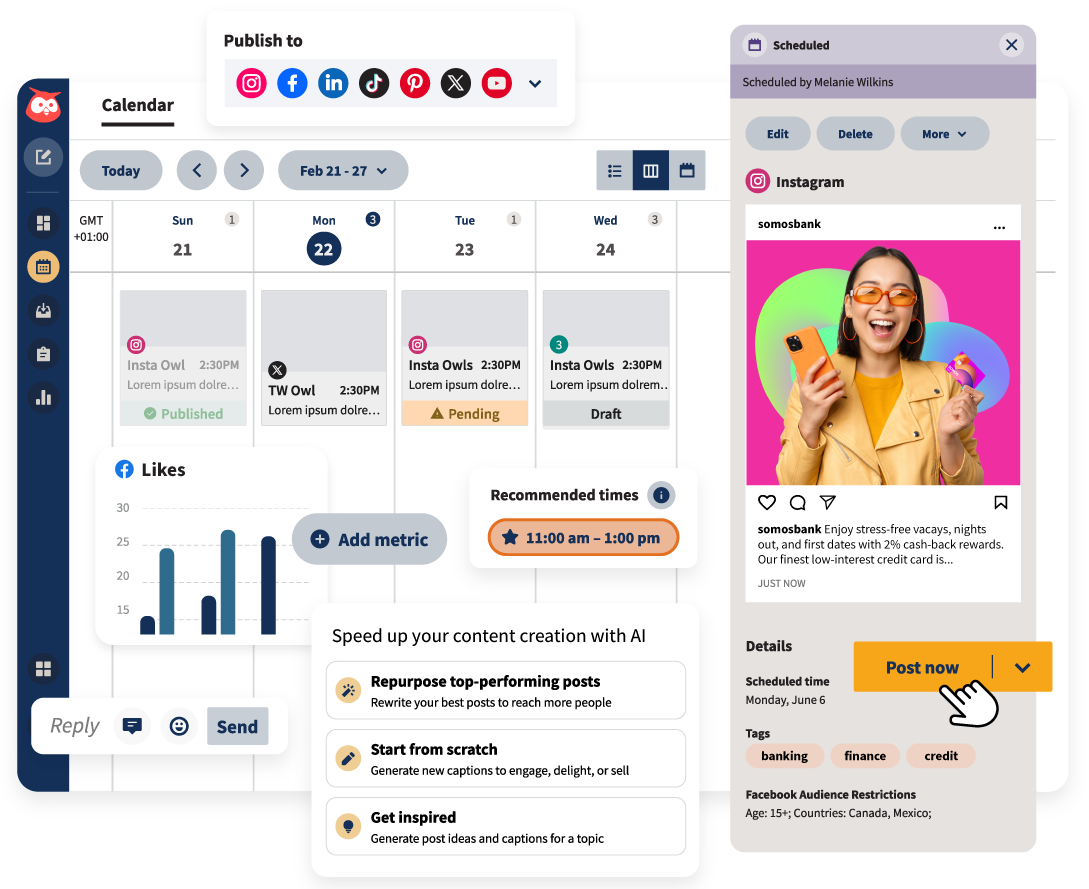
For enterprise teams, one of the biggest advantages of scheduling Bluesky content through a tool like Hootsuite is the ability to collaborate and maintain governance over what gets published.
You can set up a Hootsuite workflow that allows all creative team members to add Bluesky posts to your social calendar. Here’s what that looks like in practice:
- Approval workflows: Route posts to designated approvers before they publish.
- Shared content calendar: Everyone on the team can see what’s scheduled, what’s in draft, and what’s been approved.
- Secure access: Each team member logs in to their own Hootsuite account rather than logging into Bluesky directly.
- Brand governance: Maintain consistent messaging across regions, brands, or business units with centralized oversight.
How do you track your Bluesky post performance?
Scheduling is only half the equation. You also need to know whether your Bluesky content is actually working.
Hootsuite provides post-level analytics for your Bluesky content, so you can track engagement, reach, and clicks alongside your other social channels. This makes it easy to spot what’s resonating and adjust your strategy.
For deeper insight into how your Bluesky posts drive website traffic, use tracking parameters. Adding UTM tags to your links lets you connect Bluesky activity to conversions in Google Analytics or Adobe Analytics.
FAQ: Schedule Bluesky posts
Does Bluesky have a native post scheduler?
How do I schedule a post on Bluesky?
What is the best free Bluesky scheduler?
Can you schedule Bluesky threads?
Can I cross-post to Bluesky and other networks at the same time?
What are the Bluesky post character and media limits?
How do I find the best time to post on Bluesky?
Can I edit or delete a scheduled Bluesky post before it goes live?
How do I track the performance of my scheduled Bluesky posts?
Is Hootsuite the best tool for scheduling Bluesky posts for enterprise teams?
Save time managing your social media marketing strategy with Hootsuite. Publish and schedule posts, find relevant conversions, measure results, and more — all from one dashboard. Try it free today.