Table of Contents
Key takeaways
- A social media posting schedule maps out what to post, when, and where, so your team stays consistent without scrambling for ideas at the last minute.
- Posting frequency varies by platform, but consistency matters more than volume. Start with recommended minimums and adjust based on your own analytics.
- Content mix frameworks like the 5-3-2 rule help balance promotional, curated, and personal content so your feeds stay engaging.
- Tools like Hootsuite let you schedule, optimize timing, and track performance across every platform from one place.
A social media posting schedule is a plan that defines what you’ll post, how often you’ll post it, when it goes live, and which platforms it lands on. Think of it as the timing layer of your social strategy.
It’s easy to confuse a posting schedule with a content calendar, but they’re not quite the same thing. A content calendar is the broader editorial plan (the ideas, campaigns, and themes), while a posting schedule is the timing and cadence that governs when each piece actually publishes. You can grab a free content calendar template to see how the two work together.
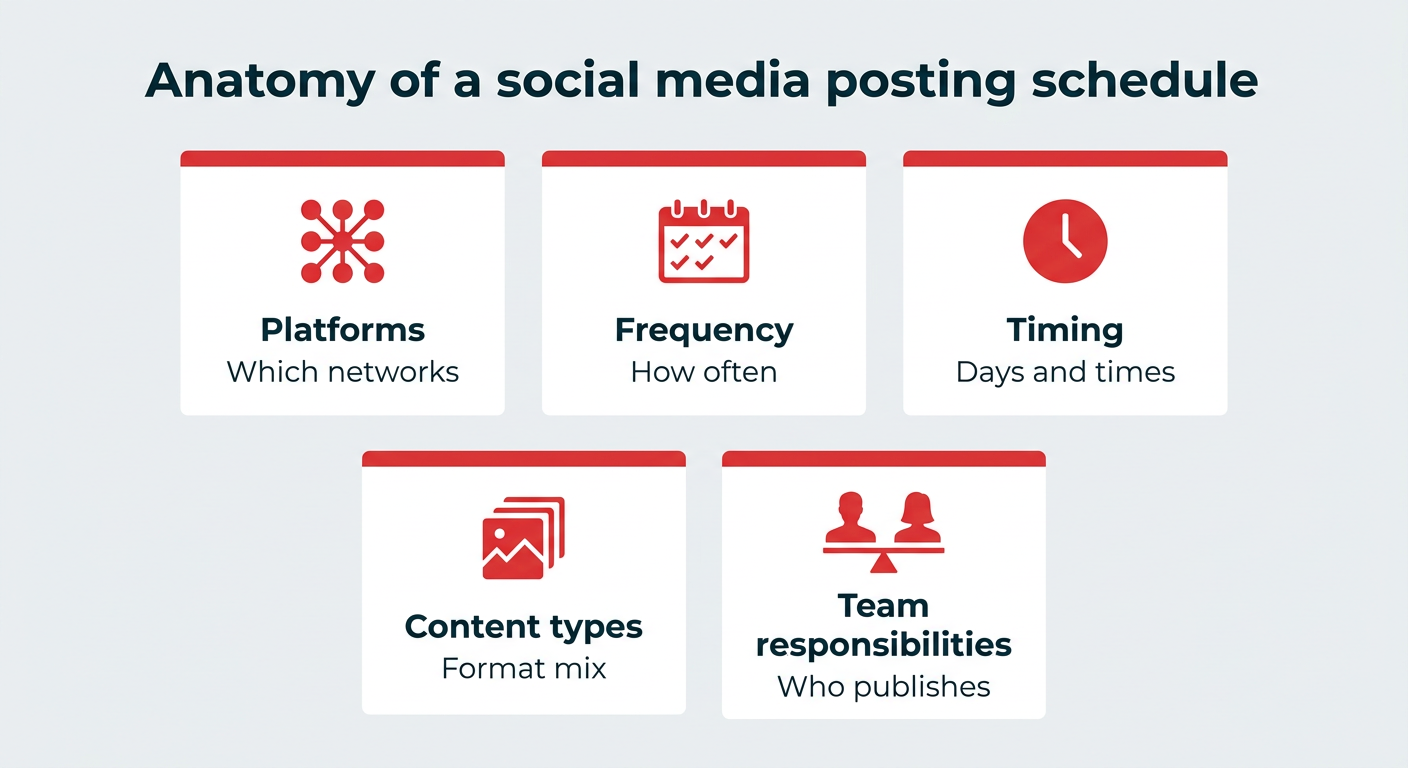
A solid posting schedule typically covers:
- Platforms: Which social networks you’re active on.
- Frequency: How often you post to each one.
- Timing: The days and times your posts go live.
- Content types: The mix of formats and topics you rotate through.
- Team responsibilities: Who creates, approves, and publishes each post.
Bonus: Download a free, customizable social media schedule template to easily plan and organize all your posts in advance.
A posting schedule does more than keep your calendar tidy. It protects your time, your consistency, and ultimately your results. Here’s why it’s worth building one:
- Managing your time. Especially if you’ve got limited resources, batch-preparing your social media posts can save you tons of time. (And make the most of those days when you’re feeling extra creative.)
- Keeping your feeds active and fresh. Instead of just hoping that you can squeeze in some posts when you remember (never), scheduling regular posts ensures your feeds are active and visible.
- Mixing it up. When you plan ahead, you can’t accidentally post two Minions memes in a row. Scheduling posts allows you to prepare a balanced mix of topics and content styles: a sprinkling of prank Reels here, an informative Carousel there.
- Optimizing your accounts. Analyzing performance is way easier when you post consistently. For instance, if you always post an Office Outfit of the Day on Mondays, and that’s the day with your best traffic, you’ve got a great hint about what your audience wants more of.
- Aligning your team. When everyone can see what’s going out and when, there’s no duplicated effort, no missed campaigns, and no last-minute scramble.
The honest answer is that how often to post on social media is unique to each brand. That said, there are solid starting points based on Hootsuite’s expert research that you can build from and refine.
Platform-by-platform posting frequency recommendations
Here are the recommended minimum posting frequencies by platform, alongside how active most businesses actually are. Use these as a baseline, not a rulebook.
| Platform | Recommended minimum | Typical business frequency | Notes |
|---|---|---|---|
| 3 to 5 times per week | Daily | Prioritize Reels for reach | |
| Instagram Stories | 2 times per day | Multiple times daily | Great for behind-the-scenes and engagement |
| 1 to 2 times per day | Daily | Quality over volume | |
| X (Twitter) | 2 to 3 times per day | Multiple times daily | Higher cadence tolerated |
| 1 to 2 times per day | 3 to 5 times per week | Weekdays perform best | |
| Threads | 2 to 3 times per day | Daily | Conversational content wins |
| TikTok | 3 to 5 times per week | Daily | Consistency drives discovery |
| At least 1 time per week | Several times per week | Evergreen content thrives |
These are our recommendations for the minimum number of posts to publish each week, keeping in mind that major platforms like Facebook attract roughly half of U.S. adults daily. In reality, your ideal cadence depends on your audience, location, and type of business.
Realistically, you might not have the resources to churn out five TikToks a week if you’re a smaller team, and that’s okay. It’s far better to stick to a manageable schedule than to burn out and give up.

How to find your ideal posting frequency
The best way to nail your social media posting frequency is to treat the recommendations above as a hypothesis and let your own data confirm it. Track your analytics closely and watch how your audience responds as you adjust.
Does your reach go up or down if you post three times instead of two on X? What happens if you post five times a week on Pinterest? Experiment, observe, and build your own set of best practices that achieve real reach in the real world. For a deeper look, our guide to how often to post breaks it down by platform.
If you want to research the algorithms yourself, check out our detailed posts for each platform:
- Instagram algorithm guide
- Twitter algorithm guide
- Facebook algorithm guide
- YouTube algorithm guide
- TikTok algorithm guide
- LinkedIn algorithm guide
What are the most popular content mix frameworks?
Once you know how often to post, the next question is what to post. That’s where a content mix framework helps. These simple ratios keep your feeds balanced so you’re not always selling, and they take the guesswork out of planning.
| Framework | Breakdown | Best for |
|---|---|---|
| 5-3-2 rule | 5 curated, 3 original, 2 personal | Brands building community and personality |
| 4-1-1 rule | 4 curated, 1 original, 1 promotional | Thought leadership and audience nurturing |
The 5-3-2 rule
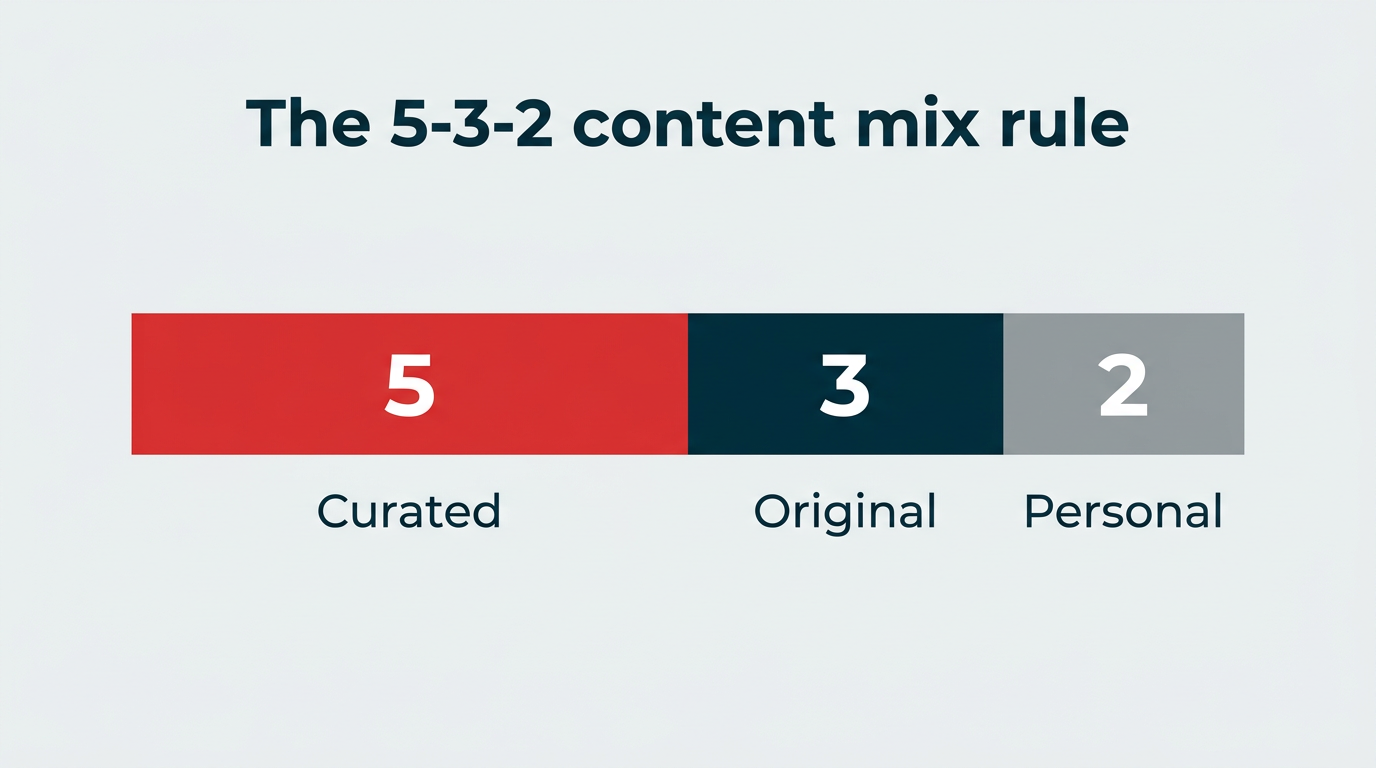
The 5-3-2 rule suggests that for every 10 posts, 5 should be curated content from other trusted sources, 3 should be original content you create, and 2 should be personal or humanizing posts. It keeps your feed from feeling like a sales channel and makes your brand feel more human. For example, you might share an industry article, publish an original how-to, then post a candid team photo.
The 4-1-1 rule
The 4-1-1 rule, popularized by content marketing thought leaders, breaks your posts into 4 pieces of curated content shared from external sources, 1 piece of original content you produce, and 1 promotional post. It leans heavily on sharing value before asking for anything in return, which makes it a strong fit for thought leadership and audience nurturing.
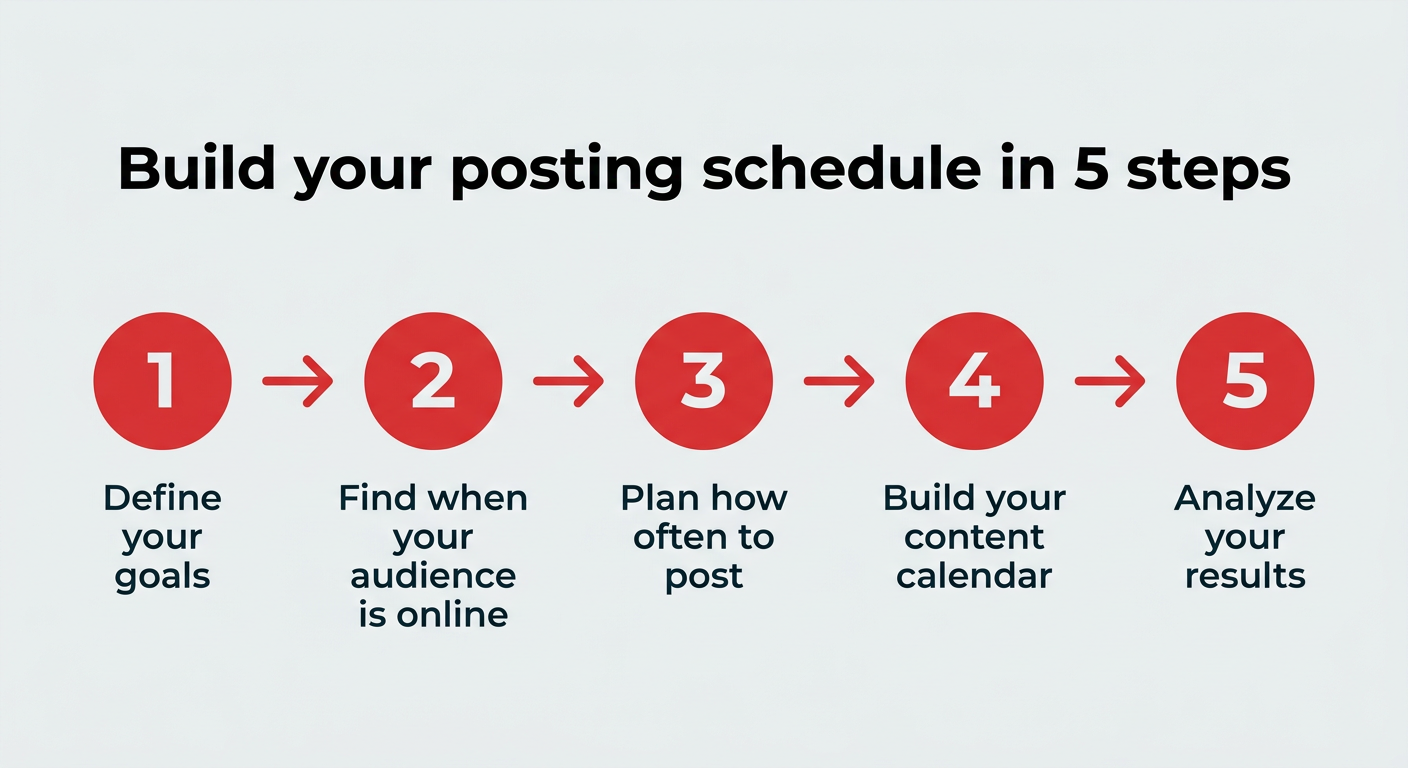
Here’s the quick version before we dig in:
- Define your goals
- Find out when your audience is online
- Plan how often to post
- Build your content calendar
- Analyze your results
Step 1: Define your goals
“What is the point of all this?” may seem like a heavy question to contemplate, but it’s vital for defining the direction of your social media marketing strategy and posting schedule.
Do you want to grow your audience? Increase your sales? Build brand awareness? Reach a specific target demographic?
Your goals can impact the formats and types of content you post, what platforms you’ll want to focus on, and the timing of your posts, so take a beat to think through the big “why” before you start making decisions.
Here’s a guide to setting and exceeding social media goals to get you started.
Step 2: Find out when your audience is online
The best time to post on social media is the day and time when your audience is most likely to see it. With the average user spending just 141 minutes per day on social media, figuring out exactly when that is will help you create a posting schedule with maximum exposure.
This may require some trial and error, experimenting with different days of the week and different times of day, but your analytics should point you in the right direction to start.
Hootsuite Analytics can show you information about your audience’s typical behavior. Maybe you’ll learn that they’re most active during their morning commutes or that they love to scroll before bed. You can also check our best times to post guide for platform benchmarks.
Turn customer conversations into your next breakthrough product
Request a demo to see how Hootsuite can help your product team discover emerging trends, validate ideas with real customer insights, and bring better products to market faster.
Step 3: Plan how often to post
Get familiar with the best practices of each platform via our guide to how often to post on social media, then decide what actually works for you.
Be real with yourself. Do you actually have the resources to post 15 times a day on TikTok?
Even with tools like Hootsuite’s AI content assistant or free graphic design software, it takes time to get your social media strategy right.
Be honest about what you have the time (or budget) to tackle, then let the rest go. You don’t have to do everything. Go for quality over quantity.
Step 4: Develop your content calendar
You can cross your fingers and hope you’ve got a great content idea ready every day at your designated Post O’Clock. Or you could do some prep work.
Even if you just plot out what type of content you’d like to post each day, you’ll save yourself creative brain power later.
Maybe you want to reserve Mondays for Q&As with brand ambassadors; Wednesdays for infographics; and Fridays for recipes. (We’re not sure what this hypothetical business is but we love the diversity here.)
With this template plotted out, you can just fill in the blanks each week without stressing.
You can also note important upcoming dates or campaigns that could inspire your content creation process, whether that’s National Donut Day or an annual pledge drive.

Snag a social media content calendar template here and get brainstorming.
Step 5: Analyze your results
Your social media posting schedule should be an ever-evolving game plan, informed by what’s working and what isn’t.
Check your metrics regularly and tweak as required to improve performance. You can use each platform’s internal insights, or view them all in one place (and even schedule handy reports) using real-time analytics in Hootsuite.

Building a schedule is the easy part. Sticking to it week after week is where most teams struggle. These practical tips will help you stay consistent for the long haul:
- Batch your content creation. Set aside a block of time to write, design, and prep multiple posts at once. Batch content creation is far more efficient than starting from scratch every day.
- Lean on scheduling tools. Automating your publishing takes the daily pressure off and keeps your feeds active even when you’re heads-down on other work.
- Build in flexibility for real-time content. Leave room in your calendar for emerging trends, news, and spontaneous moments. A rigid schedule shouldn’t stop you from jumping on something timely.
- Assign clear ownership. Decide who’s responsible for creating, approving, and publishing. Accountability keeps the schedule from slipping.
- Audit your schedule monthly. Review performance data and adjust your timing, frequency, and content mix so your plan keeps improving.
How to schedule posts using Hootsuite
Streamline your social media posting with the help of Hootsuite’s scheduling feature, which is designed to help you keep on top of your schedule for all your favorite social platforms.
Here’s how to schedule social media posts with Hootsuite.
1. Connect your social media accounts to Hootsuite
Before you can start scheduling posts to your social media accounts, you’re going to want to make sure they’re connected to Hootsuite.
First, open your Hootsuite dashboard and navigate to your profile icon (it’s in the bottom left corner).
Next, select Social accounts and teams and connect your desired platforms. (Options include Instagram, Facebook, Twitter, and more.)

2. Create your posts
Once your accounts are connected, it’s time to draft your post.
To begin, click on the plus icon (Create) on the left side of your Hootsuite dashboard and select Post (or Pin if you’re making a Pinterest post). Alternative option: You could also click the Create a Post button on the top right.

Use the drop-down menu under Publish to to choose a social media account. If you’d like, choose multiple accounts to cross-post. (You can customize each post to optimize for specific platforms later on.)

Now draft your post: add copy, upload images and videos, post links, and more. You can even access a stock media library, or get some content creation help from Hootsuite’s AI assistant in just a few clicks.

You can also easily set up approval workflows. If you’ve got any relevant stakeholders who need to give your post the thumbs-up before it goes live, add their names under Ask for approval.

Want to invest a little cash in your post to increase its reach? Use the Hootsuite functionality by ticking the Promote this post box.

Now that you’ve got your base post ready to go, head back to the compose field and toggle between your different platform accounts to optimize for each account. (For instance, making sure you’ve met the character limits for each platform.)

3. Choose the best time to post
Once you have high-quality content, it’s time to decide what time to publish your post.
You can hit the Schedule for later button to see some suggestions for the best time to post, based on when your target audience is most likely to be online.
Pick your fave, or tap Manually set time if you’d rather pick your own specific moment to drop your masterpiece.

You can also see the best time to post by going to Analytics in the sidebar navigation and then tapping Best time to publish, underneath the Organic Reporting heading. Here, you’ll see heat maps showing your audience’s activity over the past 30 days.

4. Schedule your post
Okay, you’ve decided when you want your post to go up. Stop thinkin’ about it, and click Done and Schedule! (Or post it live immediately if you can’t wait another second.)
Now it’s hanging in the queue, waiting for its time to go live.
5. View your social media calendar
Head over to the Hootsuite planner to review your scheduled posts or make any adjustments.
It’s a calendar view of your upcoming posts, so you can see at a glance what’s coming up, and move things around or edit content as needed. Easy!

Meet the Suite
Understand what matters, decide what to do next, and take action across every social workflow — all from one connected suite.

You’ve now got all the knowledge you need to get started with your social media schedule — and there are plenty of free social media templates to help you put it into action.
You’ve got your social content strategy set, and you know exactly how to find the best times to post for your unique audience. Now it’s time to pull it all together and put the best schedule into action.
Download our free social media posting schedule template. We built it in Google Sheets so you can customize it and collaborate with your marketing team. Make a copy of it in Google Sheets, or download it as an Excel sheet.
At the bottom, you’ll see tabs for Strategy, a Monthly View, a Weekly View, and an Evergreen Content Library.

Use the Strategy tab to make note of your business goals, social media goals, and content pillars. For a deeper framework, pair it with a social media strategy template. You can also include up to six pieces of cornerstone content that you’ll promote this year.
Use the Monthly view tab to get an overview of upcoming key dates, holidays, or events, as well as your cornerstone content pieces and the tactics you’ll be using to support them.
The Weekly view is great for content planning and figuring out your exact posting schedule for the week.
Use the Evergreen content library to keep track of valuable and successful posts you might want to recycle or repost in the future.
That’s it. You’re off to the races. Happy strategizing and scheduling, friends.
Hootsuite
Look, we’re not too shy to say it: we think Hootsuite is the best, most intuitive social media management and cross-platform scheduling tool around.
It’s suitable for marketing teams of all sizes, with options ranging from affordable basic social media marketing tools all the way up to enterprise-level collaboration tools for complex organizations and very large teams.
Hootsuite supports all the scheduling functions you could need, from straightforward auto-posting, through bulk scheduling, to custom recommendations on the best time to post based on your own analytics and results.
You can also customize and schedule one post for various social profiles and platforms, all from one screen. This approach is much more effective than simply cross-posting identical content across multiple accounts.
Hootsuite has the added bonus of offering detailed metrics that help inform your scheduling, as well as powerful content creation tools (including a handy AI assistant), hashtag suggestions, and a simple drag-and-drop calendar view that makes planning across all your accounts easy.

Hootsuite supports scheduling to the following social networks. (Click on each link for more specific details on how to schedule content for each platform.)
- Instagram (Posts, Stories, and Reels)
- X (Twitter)
- YouTube
- TikTok
- Threads
Hootsuite is also great for planning your presence on Instagram for business, Facebook for business, and TikTok for business. Plus, it boasts 100+ key integrations in its app directory, so if the feature you want doesn’t exist, you’re sure to find a plug-in that can help.
Pricing: Hootsuite plans start at $99 per user per month.
Other scheduling tools to consider
Hootsuite isn’t the only option out there. Here’s a quick look at how a few other popular tools compare so you can find the right fit for your team.
| Tool | Best for | Platforms supported | Key feature | Starting price |
|---|---|---|---|---|
| Later | Smaller brands and creators | Instagram, Facebook, X, and more | Visual Instagram feed planner | $18.75/month (billed annually) |
| Canva | Design-first teams | Facebook, Instagram, X, LinkedIn | Built-in graphic design plus scheduling | $120/year (Canva Pro) |
| HubSpot | Teams needing CRM plus social | LinkedIn, Facebook, Instagram, X | Social scheduling inside a full marketing suite | $890/month (Marketing Hub Professional, annual commitment) |
| Buffer | Simple, no-frills scheduling | Instagram, Facebook, X, TikTok, LinkedIn, YouTube, Mastodon | Streamlined, easy-to-use dashboard | Free plan or $5/month per channel |
Want a closer look at how these stack up against Hootsuite? Compare Hootsuite versus Later, Hootsuite versus Buffer, or Hootsuite versus Sprout Social.
FAQ: Social media posting schedule
What is a good social media posting schedule?
What is the 5-3-2 rule on social media?
What is the 5-5-5 rule for social media?
What is the 4-1-1 rule in social media?
How far in advance should I schedule social media posts?
Do scheduled posts get fewer views than live posts?
What is the best free tool for scheduling social media posts?
How do I create a social media posting schedule from scratch?
Should I post the same content on every social media platform?
How often should I update my social media posting schedule?
Save time managing your social media marketing strategy with Hootsuite. Publish and schedule posts, find relevant conversions, measure results, and more â all from one dashboard. Try it free today.