Table of Contents
Key takeaways
- Customers expect fast responses on social media, and brands that reply quickly build significantly more trust and loyalty.
- AI chatbots and a unified social inbox can help reduce message volume, freeing teams to handle complex issues.
- The most effective social media customer service strategies combine social listening, cross-platform inbox management, and clear metrics like CSAT and response time.
- Enterprise teams should clarify ownership of social customer service between marketing and support to avoid dropped messages and inconsistent experiences.
Social media customer service is offering support or service to your customers through social networks, such as Facebook, Facebook Messenger, Instagram, TikTok, WhatsApp, X, LinkedIn, or any other platform. It includes answering customer support questions in public social media post comments and discussing issues via private message, and 75% of consumers want to message businesses the way they message friends and family.
Today, social media customer service also encompasses AI-powered service: Chatbot interactions that answer FAQs instantly, automated replies, and responses prompted by social listening. In practice, modern social media customer support blurs the line between marketing and support, since the same public reply can resolve an issue and showcase your brand to everyone watching.
Bonus: Get a free, easy-to-use Customer Service Report Template that helps you track and calculate your monthly customer service efforts all in one place.
Social media customer care matters because customers increasingly expect fast, public-facing support, and brands that deliver it build stronger trust, loyalty, and brand perception. It also pays off directly: companies applying generative AI to customer-related initiatives can expect to achieve 25% higher revenue after five years compared to companies that focus only on productivity.
Customers expect fast, seamless support
Almost a third of customers (28%) say they give up solving a problem if they can’t find the answer online by themselves. That number surges to 38% for Millennials and 39% of Gen Zers.
Of the ones who wouldn’t give up right away, an average of 26.5% across generations say they’d give up if they had to wait on hold to talk to someone.

Source: Gartner
By using social media on your customer service team, you can respond instantly with tools like AI chatbots to keep these quick-moving customers engaged and solve their problems, especially as self-service and live chat are set to surpass phone and email as top service technologies by 2027.
It builds trust and long-term relationships
In our Social Media Consumer Trends research, over half (53%) of people say the most appealing thing a brand can do on social media channels is quickly respond to direct questions and comments.
Prioritizing speedy and effective service builds trust with potential and existing customers, and tracking brand sentiment helps you measure that trust over time. It can even help turn angry customers into loyal brand fans, too.

Source: Salesforce
It drives brand awareness and engagement
Social media is one of the most effective channels for marketing spend. For B2B brands, social media is responsible for more customer acquisition than any other channel, including digital ads and email marketing.

Source: MarketingCharts / Stirista
When you respond to public comments from a customer service perspective, not only are you answering the question, but you’re also showcasing your expertise and personality to everyone who visits your public page.
Responding to comments also helps boost engagement, which can enhance your organic social post performance in various algorithms, especially on Instagram, where the more someone has interacted with you in the past, the more they’ll see your new posts.
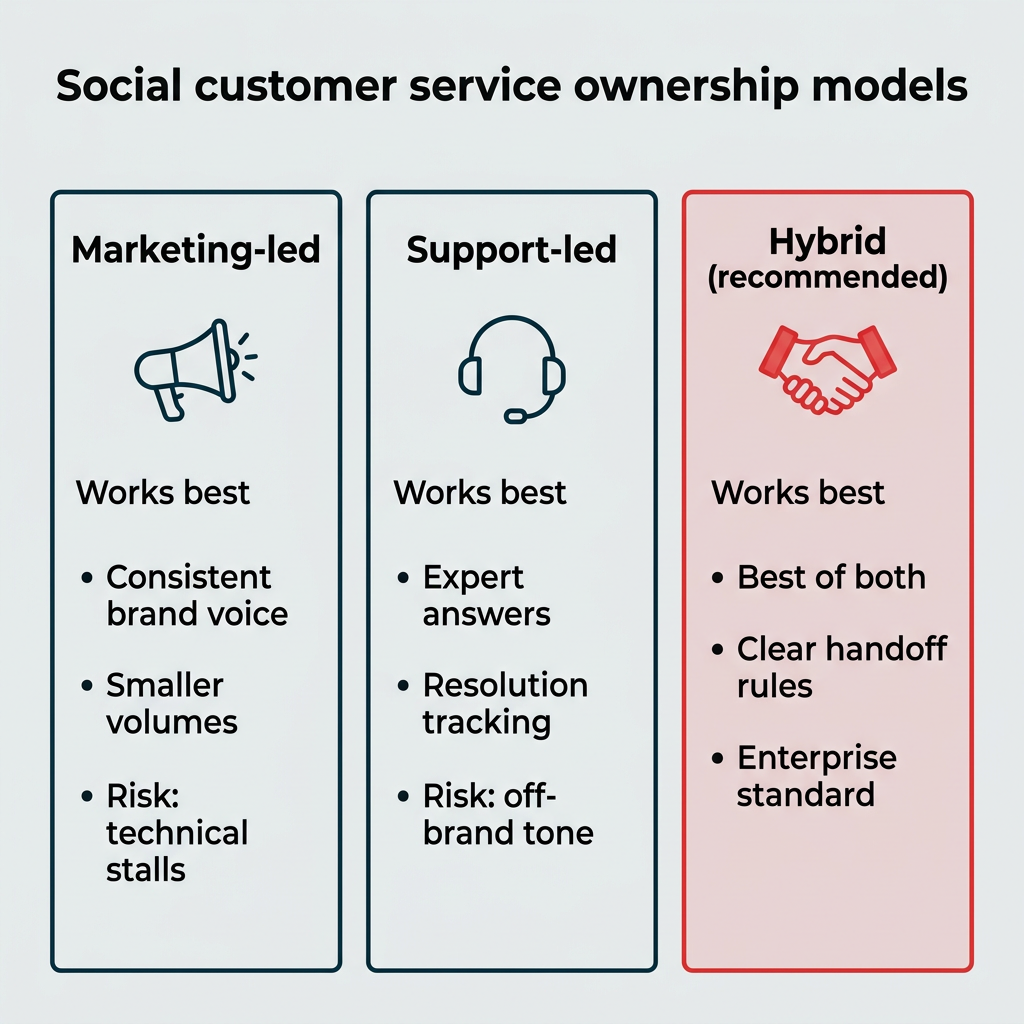
For most enterprise teams, a hybrid model where marketing and support share responsibility works best. This approach combines consistent brand voice with expert resolution tracking, using clear escalation paths to ensure nothing falls through the cracks. Getting this right is the difference between dropped messages and a consistent customer experience.
There are three common ownership models to consider:
- Marketing-led: The social team handles all comments and DMs. This works well for smaller volumes and keeps brand voice consistent, but support questions can stall when issues get technical.
- Support-led: The customer support team owns social replies, often through a connected help desk. This ensures expert answers and proper resolution tracking, but replies can feel less on-brand.
- Hybrid or shared: Marketing manages engagement and brand voice while support handles complex resolutions, with a shared inbox and clear handoff rules. This is usually the strongest fit for enterprise teams.
Whichever model you choose, a shared workspace keeps everyone aligned.
Social media customer service offers speed and visibility, but it also brings public scrutiny and round-the-clock expectations. Weighing both sides helps you build a realistic plan before you scale.
Pros | Cons |
|---|---|
Faster response times than phone or email | Complaints play out in public view |
Public replies build visibility and trust | High message volume can overwhelm teams |
Stronger, more personal customer relationships | Customers expect 24/7 availability |
Lower cost per interaction than call centers | You depend on platform rules and changes |
Easy to address issues proactively | Requires training and consistent brand voice |
On balance, the speed, reach, and relationship-building benefits outweigh the trade-offs for most brands, as long as you have the right inbox tools and process to manage volume.
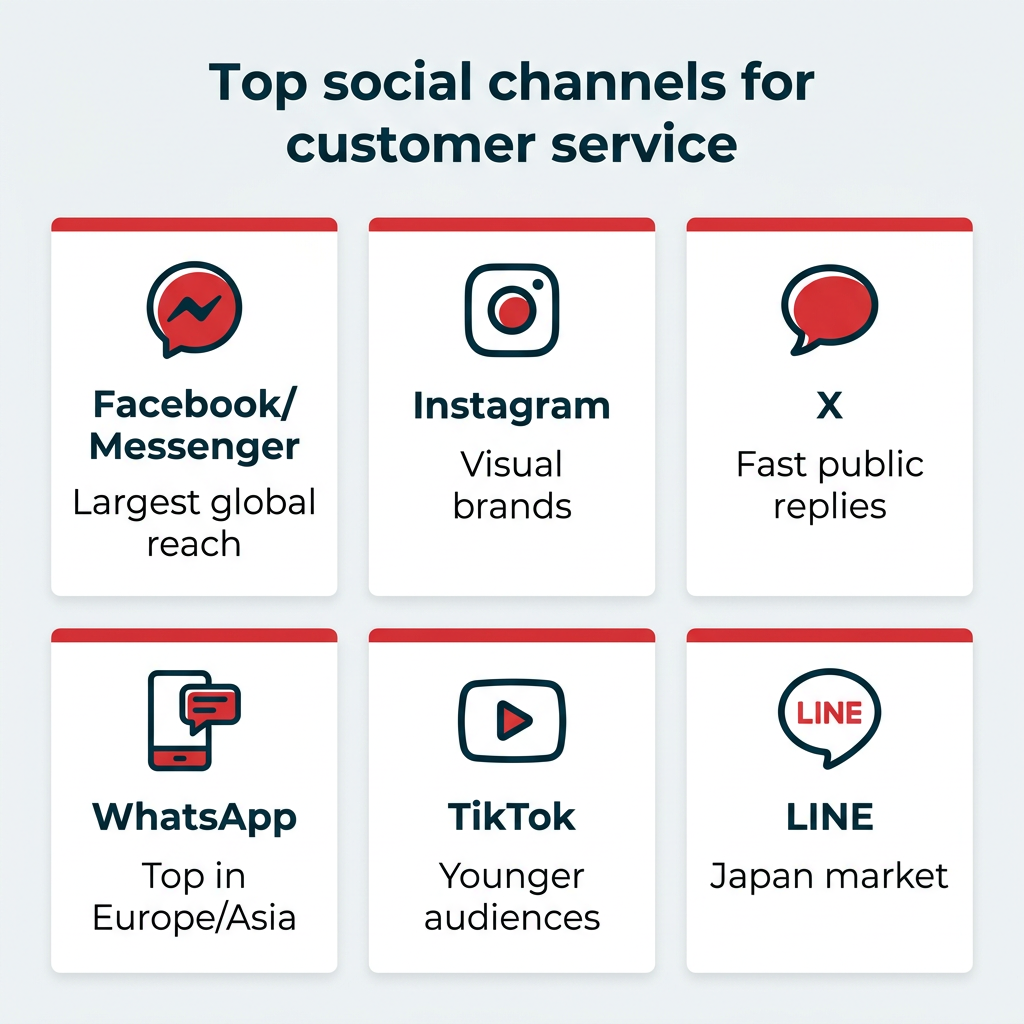
The best social media channels for customer service depend on where your audience is most active, but a few platforms dominate globally. Facebook is the top social media customer service channel worldwide, according to Salesforce, though preferences vary widely by region. In the U.S., 71% of adults use Facebook and 50% use Instagram.
Here is a quick guide to prioritizing platforms:
- Facebook and Messenger: The most widely used support channel globally. Great for direct messaging and proactive updates. Over a billion people reach out to businesses on Facebook every week.
- Instagram: Strong for visual brands and younger audiences. DMs and comment replies both matter for engagement.
- X: Long a go-to for fast, public-facing support, especially via dedicated help accounts.
- WhatsApp: The most popular social customer service channel in many regions, including Germany, India, Italy, and the Netherlands.
- TikTok: Increasingly relevant for younger audiences and product questions in comments.
- LINE (Japan): A dominant messaging platform in Japan for customer communication and support.
Where should you focus your social media customer service efforts? How can you optimize your channels for support? Below are eight social media customer service best practices to help you succeed.
- Respond quickly
- Use social listening to understand your customers
- Consider separate customer service channels
- Set expectations for response times
- Reply to every comment and message
- Scale up with AI and chatbots
- Handle negative feedback professionally
- Make human support accessible
1. Respond quickly
77% of customers expect to interact with someone immediately when they contact a company. Aiming to respond within the first hour is the modern standard for social media customer service.
Keeping up is hard when volume is high. You’re not alone: 53% of marketers feel overwhelmed managing so many platforms. If you don’t have the hands to reply to every comment and DM manually all day, Hootsuite Inbox is here to help.
Hootsuite Inbox bridges the gap between engagement and customer service by letting you reply to comments and direct messages across all your social media platforms in one place, right inside your Hootsuite dashboard.
Beyond speeding up replies, your entire team can use Hootsuite Inbox to triage and assign conversations, set up alerts for messages that need answering right away, and see CSAT surveys alongside your other social media metrics in Hootsuite Analytics, so you can tell if your customer service is working.
Hootsuite Inbox even integrates with Salesforce, empowering your support team to handle all customer inquiries (including DMs) in one familiar channel.
2. Use social listening to understand your customers
Across all types of organizations, customers crave being listened to. Edelman’s Trust Barometer found that wanting concerns to be heard and the ability to ask questions ranked as a top three priority for customers across all sectors: business, non-profit, government, and media. Listening to your customers makes them trust you more.
How do you actively listen on social media? Using social listening tools, of course. Besides finding out what customers are saying in their comments and messages online, it gives you a big picture view of brand sentiment and how it changes over time. This can identify potential PR issues in their early stages and provide valuable feedback during and after launches and events.
Social listening is also an excellent research tool. With Hootsuite Listening, you can automatically scan billions of online sources for posts and mentions of you, your products, or any keyword you specify, then build relationships by interacting with those posts.
For example, take a Reddit thread of someone asking for recommendations. Chime in on these posts with a mix of promotional content and informational content, such as offering strategic advice (if that’s what the poster is asking for).
3. Consider separate customer service channels
Depending on your current audience size or how you manage comments and messages, you may want to create separate customer service channels. This can help speed up customer service replies if they’re not mixed in with other comments. Though, ideally, you’re aiming to get back to all types of comments as soon as possible (or instantly with AI chatbots, as mentioned earlier).
If you go this route, the most common account name adds “Help” to your business name, like AirBNB’s @AirBNBHelp account on X.
Also consider options like @YourNameSupport or @AskYourName. Be sure to list your customer service channel in the bio of your main account so people know where to contact you.
4. Set expectations for response times
Unless you’re using an auto-reply or chatbot to answer incoming messages immediately (which you should), make sure to clearly state when customers can expect a reply.
This can be in your bio, but of course, not everyone will see that before contacting you.
If you only answer messages during business hours, then state that. If you do offer 24/7 service, say that. Offer support in multiple languages? Awesome, say that too.
5. Reply to every comment and message
This goes without saying, but do your best to reply to all comments and messages. Not only is it polite and helps to build relationships, but regularly replying to your audience can also boost your content in the algorithm. Win-win!
Plus, it boosts your own account engagement and, to anyone viewing the post, shows you care about your customers.
6. Scale up with AI and chatbots
How can you provide personalized, friendly service at scale? AI chatbots are a big part of the answer. 61% of people prefer to use self-service channels for simple problems, and 55% of customers have used self-service chatbots.
That’s why 70% of CX leaders plan to integrate generative AI into many customer touchpoints within two years, with 57% anticipating that chat-based customer support will be heavily influenced by generative AI.
AI chatbots aren’t simply for providing programmed responses anymore. Today’s chatbots understand context, remember an entire conversation, and adapt their language to respond clearly, accurately, and warmly. But AI goes beyond chatbots: it can auto-tag and route conversations to the right team, suggest replies to your agents, and detect sentiment so you catch issues early.
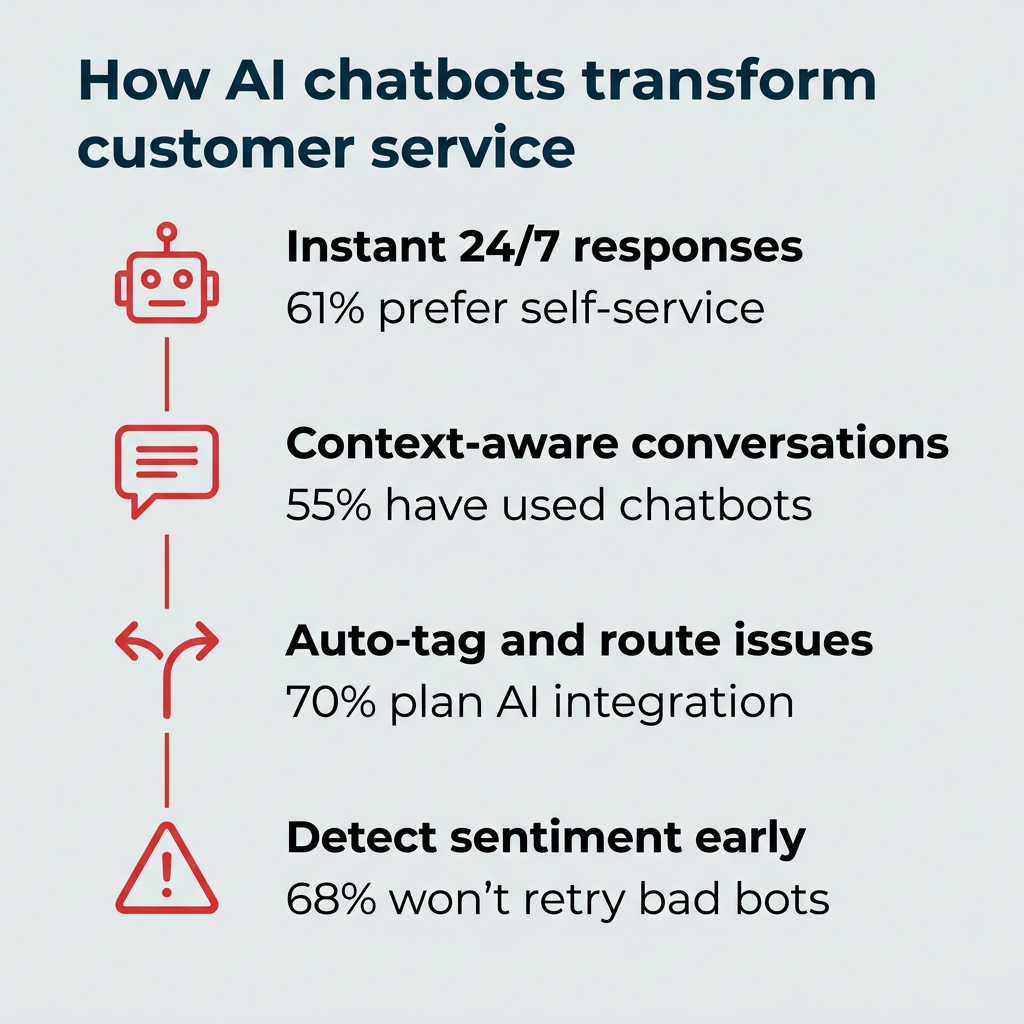
That personalization matters, since 68% of customers say they wouldn’t use a company’s chatbot again after a bad experience.
With Hootsuite Inbox, you can set up automatic replies and a custom, language-learning AI chatbot to answer FAQs instantly. This can help reduce your team’s message volume, and because chatbots work 24/7, your team can focus on the complex issues that need a human touch.
7. Handle negative feedback professionally
Most of the time the internet is a friendly place, but once in a while a certain commenter seems intent on stirring things up. Don’t play into it.
That doesn’t mean ignoring negative comments. In fact, you should respond as quickly as possible to unhappy customers to prevent the issue from recurring and to try to turn the situation around. Time is often of the essence with negative experiences: a delivery error, a faulty product. Responding quickly shows you care about making it right.
But there’s a difference between genuine negative feedback and a false statement intended to damage your reputation. That difference can meet the legal definition of defamation, as in the case of a Canadian man ordered to pay $90,000 in damages to a business he posted false negative reviews about online. Legal action over a review is uncommon, but protecting your reputation without fueling conflict is important.
When replying to a negative comment or review, remember to:
- Keep it professional: Don’t let emotion get the best of you. It’s upsetting to read a negative comment, especially if you know it’s untrue, but keep your response as neutral as possible while still sounding friendly and helpful.
- Put the ball back in their court: Thank them for their feedback and offer to discuss their issue via private message or phone. Now it’s up to them to speak directly with you. If it’s genuine, they’ll reach out.
- If possible, address any blatant falsehoods: Did a commenter claim your washroom was out of order (and it’s not)? Thank them for their feedback but politely note that they may be confused with another establishment, as your washroom was fully operational on the day in question. This helps minimize the effect the review has on others who read it.
Remember: Hootsuite Listening helps you monitor channels beyond your social profiles, like Yelp and Google Reviews, plus over two billion sources, including podcast mentions.

Brand mentions, trending topics, and sentiment at your fingertips. Enhance your social strategy with the insights that matter.
Start your free trial8. Make human support accessible
Automating social media customer service tasks is necessary to reply to everyone quickly, and many customers prefer instant answers to common FAQs. But sometimes, customers need to talk to a real person. Complicated situations without a clear-cut logic path need to be talked through person-to-person.
Besides ensuring every customer can reach a human team member for support, you could consider offering a premium support option. Nearly half of customers are willing to pay more for better customer service. Offering a VIP account with faster access to human support can be a major differentiator between you and your competition.
When customers do interact with your support team, don’t be afraid to be human too. Admit and apologize for mistakes, and allow team members to show their own personalities (professionally) when working with customers.
The best tools for social media customer service combine a unified inbox, social listening, AI chatbots, and analytics so you can respond fast and measure results. Here are the categories that matter most:
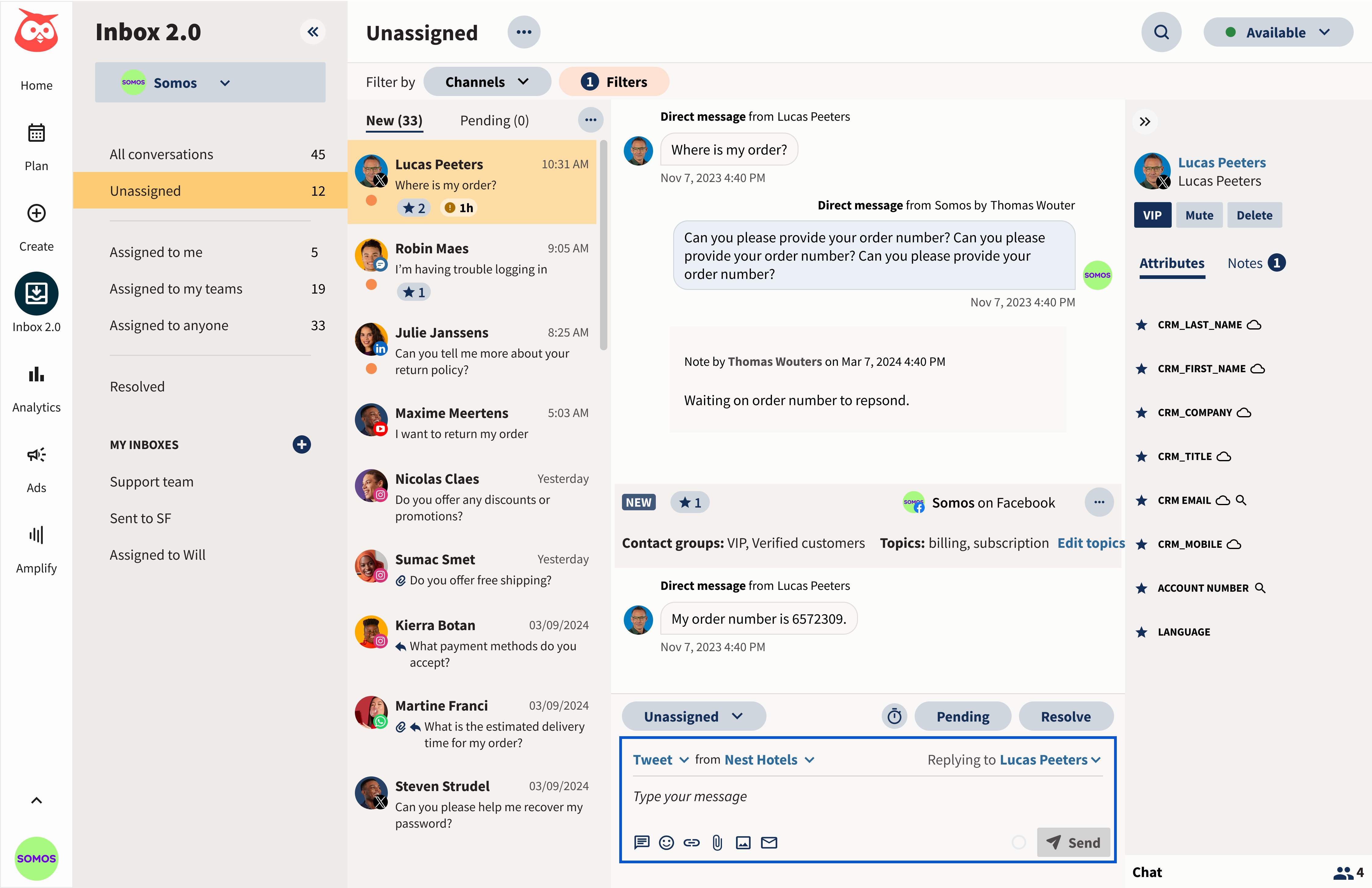
- Unified social inbox: Pulls comments and DMs from every platform into one view so nothing gets missed. Look for assignment, alerts, and approval workflows for team collaboration.
- Social listening: Scans the web for mentions of your brand, products, and competitors, and tracks brand sentiment over time.
- AI chatbots: Handle routine questions 24/7, reducing message volume so your team can focus on complex issues.
- Analytics and reporting: Measure response time, CSAT, and resolution rates so you know what’s working.
Hootsuite brings all four together. Hootsuite Inbox is your unified social inbox with AI chatbots and a Salesforce integration. Hootsuite Listening, powered by Talkwalker, monitors billions of sources, and Hootsuite Analytics ties it all to ROI. You can connect it directly to Salesforce and see exactly what’s included across Hootsuite plans.
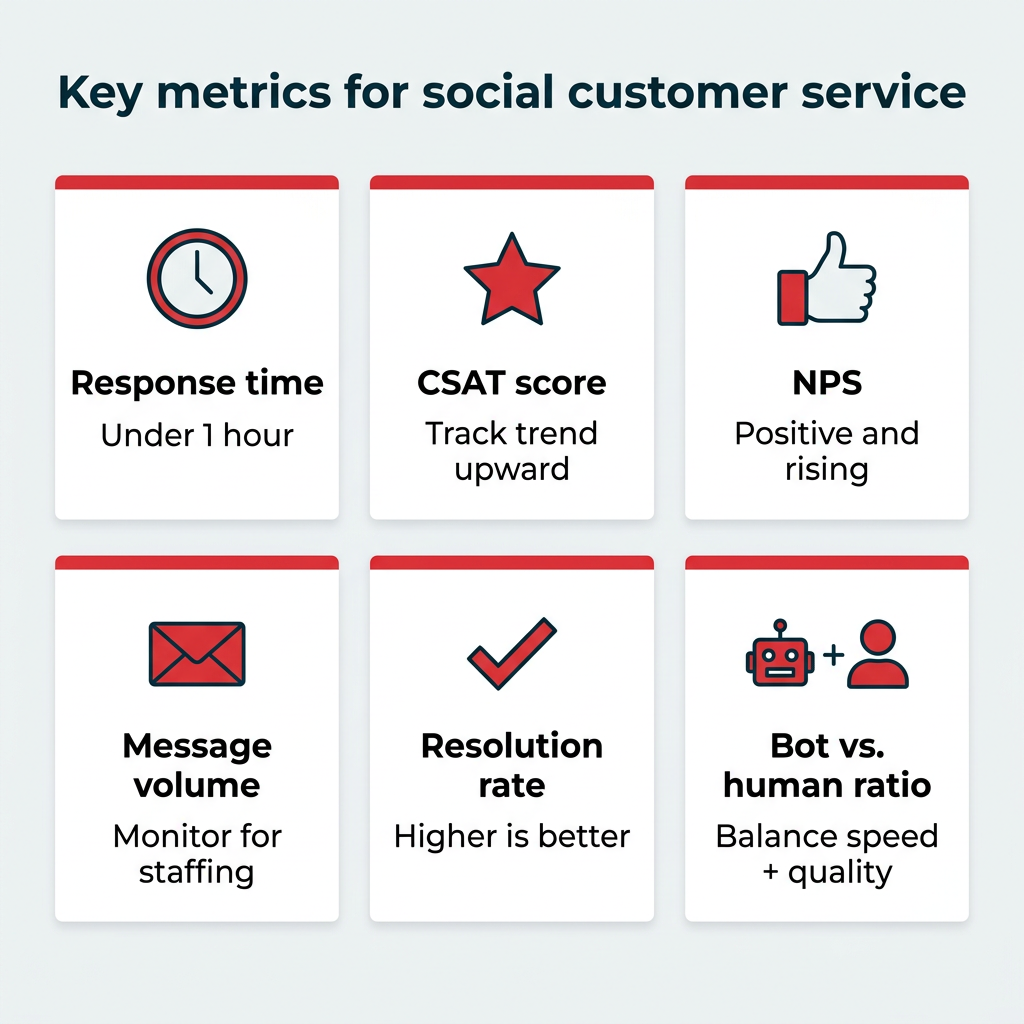
You measure social media customer service success by tracking metrics that show whether customers are getting fast, satisfying support, such as response time, CSAT, and resolution rate. As marketers like to say, you can’t know where you’re going unless you’ve tracked where you’ve been.
While you’re most likely already tracking follower growth, engagement rate, comments, and likes, are you tracking the customer service metrics that tell you if your support is working? Here are the key social media customer service metrics to track:
Metric | Definition | Benchmark / target |
|---|---|---|
Average response time | How long customers wait for a reply | Within 1 hour |
Customer satisfaction score (CSAT) | How satisfied customers are after an interaction | Higher is better; track trend over time |
Net promoter score (NPS) | How likely customers are to recommend you | Positive and trending up |
Message volume | Total inbound messages over a period | Track for staffing and trends |
Resolution rate | Share of issues resolved | Higher is better |
Automated vs. human responses | Ratio handled by bots vs. agents | Balance speed with quality |
Hootsuite Analytics tracks all your key social media metrics and makes sense of your true social ROI, including for customer service. Measure organic and paid campaigns, comments, messages, and engagement, then customize reports and automate delivery via email.
Frequently asked questions
What is the average response time for social media customer service?
Which social media platform is best for customer service?
How do you handle negative comments on social media?
Should customer service be handled by marketing or support teams?
What tools do you need for social media customer service?
How do AI chatbots improve social media customer service?
Save time managing your social media marketing strategy with Hootsuite. Publish and schedule posts, find relevant conversions, measure results, and more — all from one dashboard. Try it free today.