Social media guidelines are a must for every business. Even if your brand doesn’t actively post on social media, your employees almost certainly do.
Without clear guidance, even a well-intentioned post about work can quickly turn into a reputational risk for both employees and the company.
Key takeaways
- Social media guidelines protect your brand. They reduce legal, compliance, and reputation risk.
- Guidelines empower employees. Clear guardrails give employees safe boundaries for posting on their personal accounts.
- Privacy, security, and accessibility are non-negotiable. Strong guidelines protect sensitive info, prevent cyber threats, and support inclusive content.
- Hootsuite Amplify makes brand advocacy easier and safer. By providing a library of pre-approved content, employees can share confidently without second-guessing.
Social media guidelines are instructions and recommendations for how employees, partners, and collaborators should represent a brand on social media.
While employees are the primary audience, they’re just as useful for agencies, contractors, and influencers who speak on your brand’s behalf.
Think of social media guidelines as your brand’s manual for social media best practices. They should outline how to behave on social media in a way that’s positive and safe.
Social media guidelines are not the same as a social media policy or a style guide. Policies focus on rules and compliance, while style guides focus on voice and visuals.
That said, keeping all three documents together makes them far easier to use (and actually follow). Want to learn more? Take Hootsuite Academy’s free course Implementing Social Media Governance Within your Organization.
Bonus: Get a free, customizable social media guidelines template to quickly and easily create recommendations for your company and employees.
Social media guidelines matter because they protect your brand, ensure compliance with regulations, and empower employees to participate online with confidence.
Here are the biggest benefits of social media guidelines:
Protects your brand
Clear social media guidelines help protect your brand from risk, especially when they work alongside a solid social media policy.
They cover how everyday social activity connects back to brand reputation and even compliance. From the basics to the high-stakes stuff, good guidelines make it clear that what employees do on social media really does reflect on the brand.
Keeps employees aligned with official regulations
Social media regulations don’t just apply to official brand accounts. They apply to employees, too.
This is obvious in heavily regulated industries like healthcare and finance, but it matters just as much for retail, service, and consumer brands.
For example, the Federal Trade Commission’s social media disclosure guidelines require people to clearly disclose when they’re being paid, gifted products, or otherwise compensated for endorsements. That includes employees, influencers, and partners.
To avoid confusion (and costly mistakes), include any relevant regulations directly in your social media guidelines. It’s a good idea to also add specific examples that make the requirements easy for everyone to understand.
Encourages brand advocacy
Every employee is a potential brand ambassador, but not everyone knows exactly what’s okay to share on their own social media.
That’s where social media guidelines come in. They give your team clear guardrails to talk about their work in a way that’s positive, inclusive, and on brand. When people know the rules, they feel more comfortable hyping up your brand (and their work).
A platform like Hootsuite Amplify can make brand advocacy easier. Employees can browse pre-approved posts, visuals, and links, then share to their own feeds in seconds.
It takes the stress out of posting and helps everyone show up confidently online (no more second-guessing).

At minimum, a strong social media guidelines document should explain who the guidelines apply to, what types of social media activity they cover, and how employees are expected to act online.
It can also include practical guardrails around privacy, copyright, cybersecurity, accessibility, and disclosure.
Here’s a rundown of core sections you should include in your social media guidelines. Go ahead and tailor any part of this to fit your brand. After all, every industry is different.
Or, start with our free social media guidelines template, which you’ll find below.
The 5 W’s
Strong social media guidelines start with the basics: who, what, when, where, and why. Covering these upfront ensures everyone is on the same page:
- Who. Clearly state who the guidelines apply to. This is anyone who works with your company, including employees, contractors, agency partners, students, or influencers. Be specific.
- What. Clarify what counts as company-related social media use. This typically includes posts from official social media accounts, work-related content shared from personal social media accounts, and sometimes personal social media use during work hours or on company devices.
- When. Add a “last updated” date so people know which version is current and when changes take effect.
- Where. Define what you mean by “social media.” This could include a list of social media channels, official accounts, and branded hashtags. Or, it could be a broader definition that includes platforms like Reddit and Quora.
- Why. Explain why the guidelines exist in the first place. People are much more likely to follow the rules when they understand how they protect both employees and the brand. Touch on any specific compliance requirements that apply to your industry (like HIPAA or FINRA).
High-level dos and don’ts
In an ideal world, every employee would read every line of your social media policy and guidelines. In reality, most won’t.
That’s why it helps to lead with a quick, punchy list of basic expectations. Think of this as your social media code of conduct at a glance.
Don’t go into too much detail here — you’ll do that in later sections. Here’s a sample list you can copy and paste or tweak for your specific needs:
- DO mention the company as your employer in your social media bio (if you talk about company matters)
- DON’T engage with competitors or customers in an inappropriate way
- DO share company social media posts, events, and stories
- DON’T share company secrets or confidential information about your colleagues or customers
- DO express your own opinion, just make sure it’s clear you’re not speaking on behalf of the company
- DON’T comment on legal matters pertaining to the company
- DO report harassment you’ve experienced or noticed
- DON’T engage with trolls or negative comments
Disclosure and transparency
Employees should always be clear about when they’re speaking for themselves versus on behalf of your company.
Adding a disclosure to their social profile or bio is a good start. Something like “All opinions expressed are my own” makes it clear that these are not official viewpoints, but personal views — like this university strategist and instructor does here.
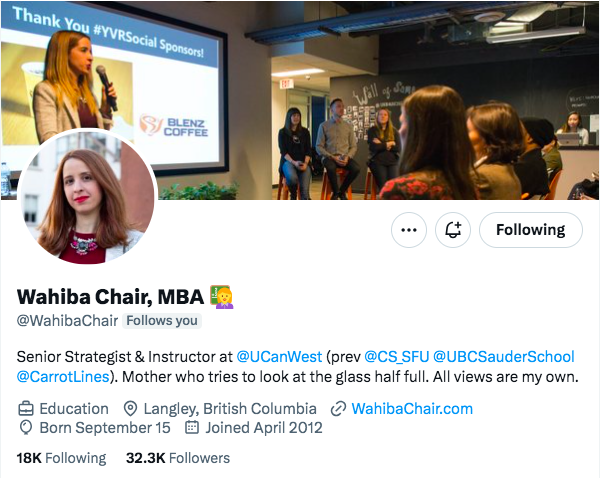
Source: @WahibaChair
However, when employees post about company-related topics, disclosure isn’t optional. The FTC requires them to identify themselves as employees in the post itself, not just in their bio. That’s a rule, not a suggestion.
To make this easy (and consistent), work with your legal or compliance team to approve a few clear, copy-and-paste disclosures. Including those directly in your social media guidelines helps employees get it right without guessing.
Privacy and confidentiality
Remind your team that confidential company information is confidential off the clock, too. Some of the biggest no-nos for sharing on social are:
- Info about coworkers or customers
- Financial disclosures
- Upcoming products that haven’t been officially announced
- Private communications
- Research and development intel
Clarify that privacy and confidentiality should be respected across all social media platforms. That also includes photos taken at your workplace or workplace events. These can be especially challenging for organizations subject to HIPAA or FERPA.
It’s also good practice to remind employees to review their social media profile settings to make sure their personal information remains protected.
Copyright guidelines
Include a reminder in your social media posting guidelines to respect ownership from:
- Intellectual property
- Copyright
- Trademarks
- And other relevant laws.
When in doubt, the rule of thumb is relatively simple: if it’s not yours, and you don’t have permission, don’t post it. (Except through native resharing functions.)
We’ve got a full post on image copyright guidelines that you can link to or learn from.
Cybersecurity
Your employees may already be vigilant about phishing scams and the like. Still, it never hurts to review cyber-safety basics, especially if you collect information about customers or clients.
According to the FTC, social media was the second most common way fraudsters contacted victims in 2025, which puts employee accounts squarely in the risk zone. That’s why cybersecurity deserves a clear spot in your social media guidelines.

Source: Interactive FTC graphic
We’ve got a whole post on social media security that can help you craft your social media guidelines on this front. Here’s a quick refresh of smart cybersecurity habits:
- Only activate geolocation services on apps when necessary
- Choose strong passwords
- Use a different password for every social account
- Never share passwords with others. Create separate access credentials for all team members who access corporate accounts
- Use two-factor (or multi-factor) authentication to login to social networks
- Limit the personal and professional information you share, and avoid online “quizzes” that fish for password hints
- Use personal credentials for personal accounts (rather than your corporate email)
- Make sure your internet connection is secure — be cautious on public Wi-Fi networks
- Do not download or click on suspicious content
Accessibility and inclusivity
It’s important for every employer and brand to promote accessibility and inclusivity on and off social media. It also helps employees feel supported.
Here are some common accessibility and inclusivity guidelines for social media:
- Use inclusive pronouns when appropriate (they/them/theirs/folks)
- Add alt text to images and captions or subtitles to videos
- Be thoughtful about representation in social media imagery. This includes stock imagery, emojis, and branded visuals.
- Don’t make assumptions about gender, race, experience, or ability
- Avoid gender- or race-specific emojis when they aren’t necessary
- Feel free to share your preferred pronouns (and always respect the pronouns of others)
- Use title case for hashtags (this makes them more legible for screen readers)
- Report and remove any comments that are sexist, racist, ableist, ageist, homophobic, or hateful to any group or person from your owned social channels
- Consider how content may be perceived by different segments of your target audience
Find more accessibility and inclusivity resources here.
How to respond to negativity
Your guidelines should clearly define how employees (and your social media team) are expected to handle trolls, harassment, or negative comments. Should they ignore or escalate? And when is it okay to respond directly?
For example, it may be appropriate to acknowledge a concern publicly, then move the conversation to direct messages for resolution.
Anyone who manages comments on your owned channels should also have a clear content moderation policy to lean on. It should cover when to hide, delete, or respond to comments, and who needs to be looped in for sensitive situations. You can link to that policy here if needed.
Finally, make sure everyone knows how to report issues they come across. If support is needed, be explicit about where to go and who to contact.
Providing protocol and tools helps your team nip problems in the bud before they grow into a full-blown social media crisis.
Links to relevant policy documents
Your social media guidelines shouldn’t live in a vacuum. Link out to related resources like your social media policy, style guide, and community guidelines so people can easily find deeper detail when they need it.
You may also want to include links to broader brand documents, like your brand identity guidelines or employee handbook.
If you offer social media training or resources, include those as well. And don’t forget your employee advocacy program. Giving staff access to pre-approved content makes it easier (and safer) for them to share and participate.
To get a sense of the different kinds of social media guidelines out there, we’ve divided these real-world examples by industry.
1. Education: McGill University
Like many other post-secondary institutions, the University of Northern Georgia notes that its social media guidelines apply to both employees and students. This helps protect the university’s brand by setting expectations for behavior across the board.
As they put it: “Whether you intend to do so or not, if you identify yourself with UNG, you become a de facto spokesperson of the university.”
McGill University gets into finer detail, saying: “Use common sense. Be aware of privacy issues. Play nice, and be honest.” That could double as the TL;DR for social media guidelines everywhere.
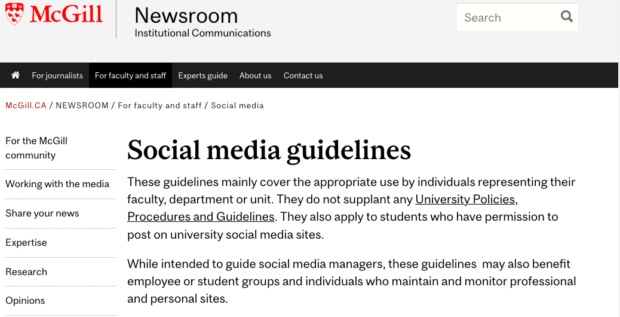
Source: McGill
Meet students where they’re at with the tool that makes it easy to engage, recruit, schedule, measure, and win.
Book a Demo2. Government: Ontario Public Service
The social media guidelines for the Ontario Public Service are broken down into four different use categories. They include common-sense guiding principles backed by this important caveat:
“Even if you use disclaimers like ‘the opinions expressed are my own,’ you are still responsible for what you say. What you say publicly may impact you professionally.”
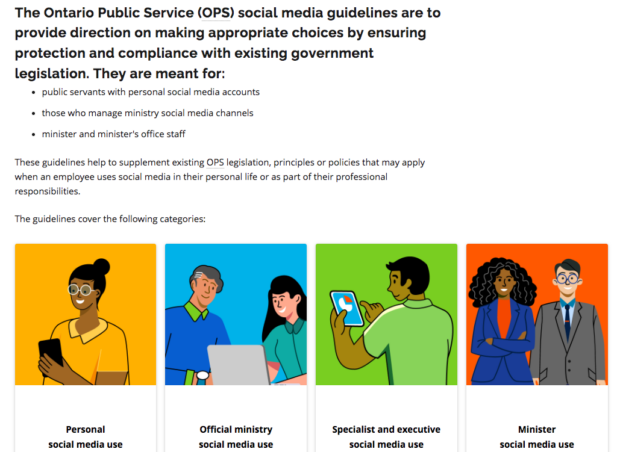
Source: Ontario Public Service
3. Healthcare: Horizon Health Network
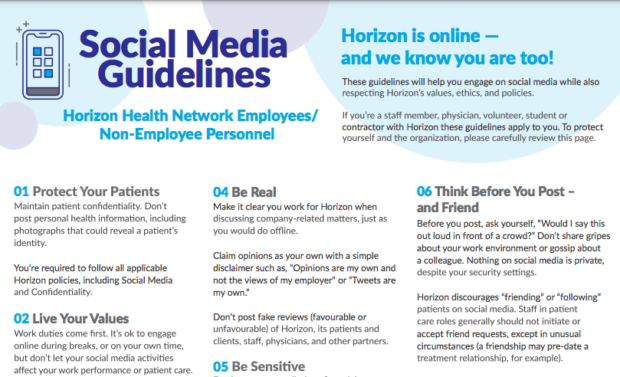
Horizon Health Network is a great reminder that social media guidelines don’t need to be long to be effective. Their guidelines fit on a single page, but still cover reputation, professionalism, and personal use of social media.
One standout line says it all: “If you wish to identify your affiliation to Horizon (on any social media site), make sure your activities are consistent with the high principles of your profession and Horizon.”
Source: Horizon Health Network
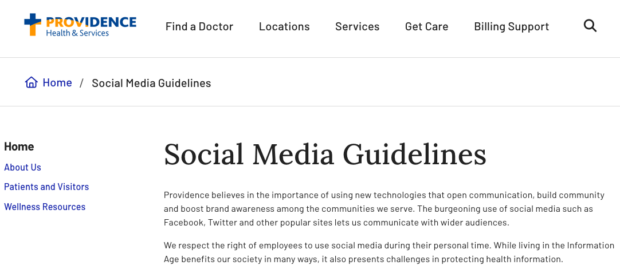
Providence Health & Services combines its official-use social media policy with its social media guidelines for personal use.
Here’s how they address the elephant in the room: HIPAA.
“It’s important to remember that you can be held personally and legally responsible for the publicly made opinions and comments you make, even on personally maintained sites and pages … You are required to maintain patient privacy by following Providence Privacy and Security policies and standards and HIPAA rules at all times.”
Source: Providence Health & Services
Create and publish posts. Talk to patients and prospects. Measure ROI. Save time and grow faster.
Book a demo4. Other brands: Chanel
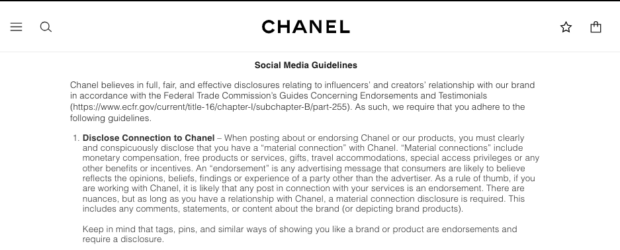
Chanel offers a masterclass in disclosure. Their guidelines get very specific about sponsored content, calling out exactly what doesn’t count as proper disclosure:
“#gifted, #freeproduct, #comped, or #hosted are insufficient as they do not explain who provided the gift or that certain stuff was free (the FTC does not believe any of these are specific enough).”
Source: Chanel
FAQ: Social media guidelines
What are social media guidelines and why do companies need them?
How do you create social media guidelines for employees?
What are social media guideline best practices for enterprise organizations?
What should be included in corporate social media guidelines?
What are examples of effective social media guidelines?
Save time managing your social media presence with Hootsuite. From a single dashboard you can publish and schedule posts, find relevant conversations, engage the audience, measure results, and more. Try it free today.