Table of Contents
Key takeaways
- Customers expect replies within an hour on social media, and brands that respond quickly build significantly more trust and loyalty.
- A unified social inbox paired with AI chatbots can reduce message volume and free teams to handle complex issues.
- The strongest social media customer service strategies combine social listening, cross-platform inbox management, clear team ownership, and measurable KPIs like CSAT and response time.
- Real brand examples show that proactive, personalized social support drives repeat purchases and brand advocacy.
Social media customer service is offering support or service to your customers through social networks, such as Facebook, Facebook Messenger, Instagram, TikTok, WhatsApp, X, LinkedIn, or any other platform. It includes answering customer support questions in public social media post comments and discussing issues via private message, and 75.1% of consumers want to message businesses the way they message friends and family.
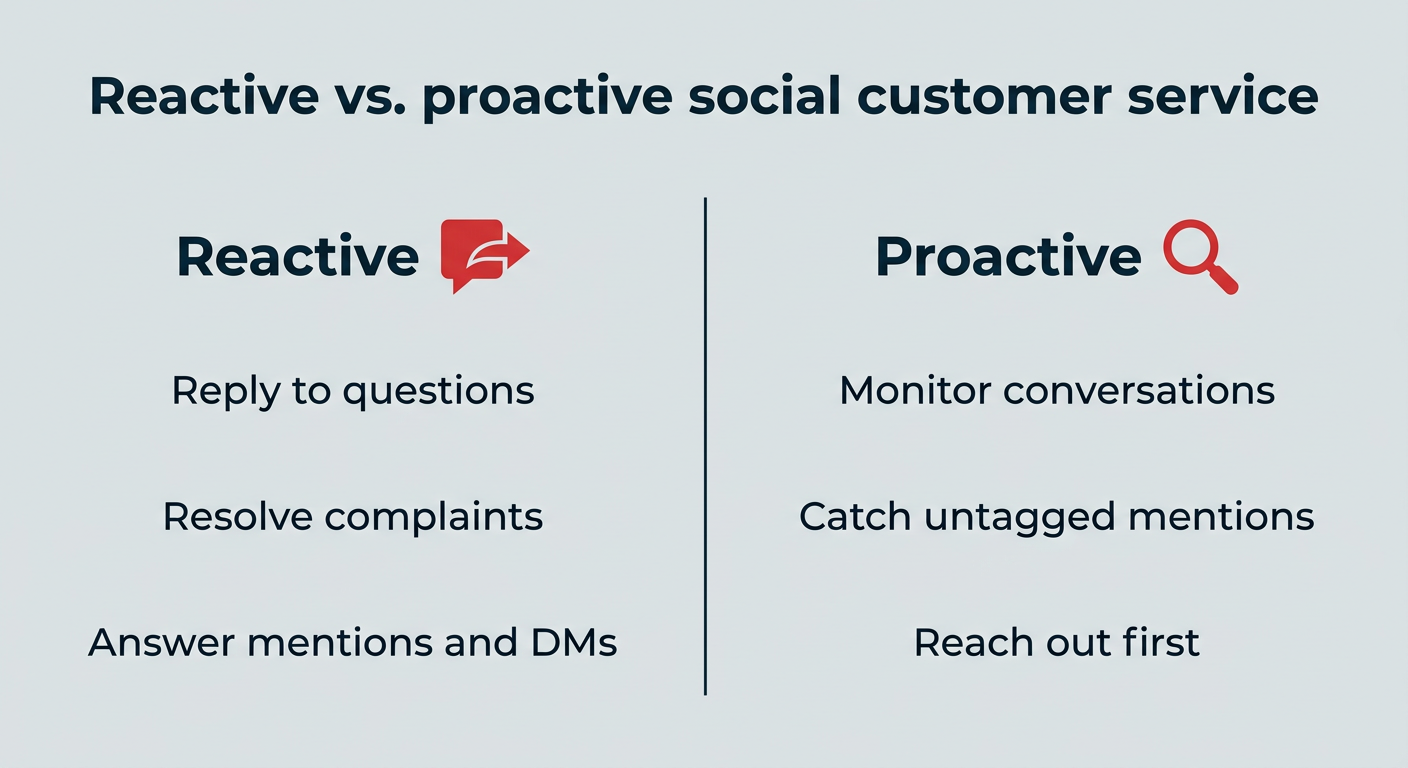
It works in two directions. Reactive social media customer support means replying to the questions, complaints, and mentions that come to you. Proactive social media customer care means monitoring conversations and reaching out first, before a frustrated customer escalates.
Today, social media customer service also encompasses AI-powered service: Chatbot interactions that answer FAQs instantly, automated replies, and responses prompted by social listening. In practice, modern social media customer support blurs the line between marketing and support, since the same public reply can resolve an issue and showcase your brand to everyone watching.
In short: Social media customer service is the practice of resolving customer issues on social platforms, both reactively and proactively, using a mix of human agents and AI.
Bonus: Get a free, easy-to-use Customer Service Report Template that helps you track and calculate your monthly customer service efforts all in one place.
Social media customer care matters because customers increasingly expect fast, public-facing support, and brands that deliver it build stronger trust, loyalty, and brand perception. It also pays off directly: companies applying generative AI to customer-related initiatives can expect to achieve 25% higher revenue after five years compared to companies that focus only on productivity.
The upside shows up in a few consistent ways:
- Speed: Replies happen in minutes rather than the days email or phone queues can take.
- Visibility: A helpful public reply is seen by everyone who visits the post, not just one customer.
- Cost efficiency: Social conversations cost less per interaction than staffing a call center.
- Relationships: Conversations feel personal, which turns resolved issues into repeat purchases.
Customers expect fast, seamless support
By using social media on your customer service team, you can respond instantly with tools like AI chatbots to keep quick-moving customers engaged and solve their problems. Especially as self-service and live chat are set to surpass phone and email as top service technologies by 2027.
It builds trust and long-term relationships
Prioritizing speedy and effective service builds trust with potential and existing customers, and tracking brand sentiment helps you measure that trust over time. It can even help turn angry customers into loyal brand fans, too. That trust compounds: customers who feel well looked after buy again and recommend you to others, which is why service quality belongs in revenue conversations, not just support reviews.

Source: Salesforce
It drives brand awareness and reduces support costs
Every public reply does double duty. You resolve one customer’s issue while showing everyone else on the thread how you treat people, which is part of why social media contributes more to B2B customer acquisition than any other channel, including digital ads and email marketing.

Source: MarketingCharts / Stirista
There’s an efficiency story, too. One agent can manage several social conversations at once, and a chatbot can clear routine questions before they reach a queue, so the same team handles more volume without adding headcount.
Responding to comments also helps boost engagement, which can enhance your organic social post performance in various algorithms, especially on Instagram, where the more someone has interacted with you in the past, the more they’ll see your new posts.
Key trade-offs to plan for
Social support brings speed and reach, but it also brings a few realities worth planning for before you scale:
- Public scrutiny: Complaints play out in front of an audience, so a clear escalation plan matters.
- Volume: High message counts can overwhelm teams without the right inbox tools and routing rules.
- Always-on expectations: Many customers assume 24/7 availability, which means automation or stated service hours.
- Platform dependency: API rules and feature changes sit outside your control, so build processes that can flex.
- Training: Consistent brand voice across agents takes documented guidelines and ongoing coaching.
For most brands, the speed, reach, and relationship benefits outweigh these trade-offs, as long as you have a process to manage volume.
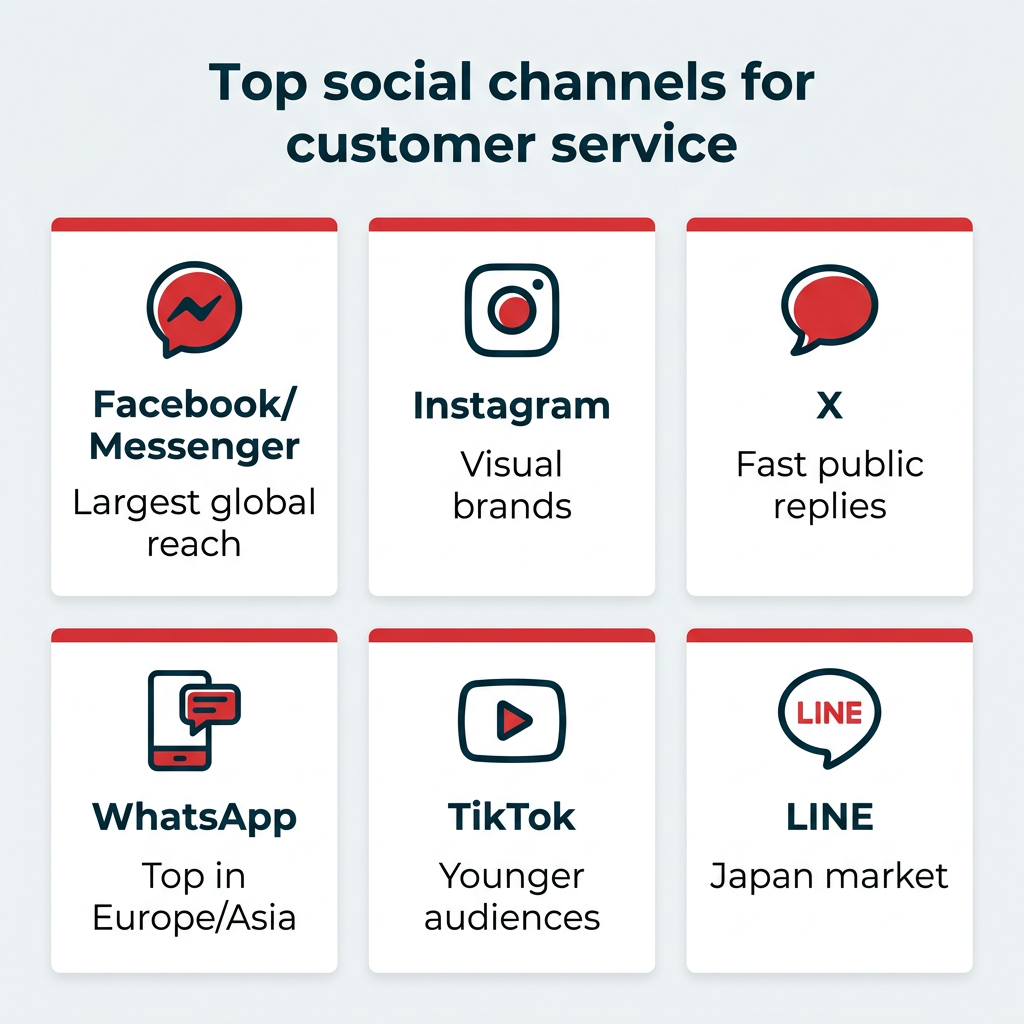
The best social media channels for customer service depend on where your audience is most active, and preferences vary widely by region. In the U.S., 71% of adults use Facebook and 50% use Instagram.
Here is a quick guide to prioritizing platforms:
- Facebook and Messenger: A high-volume support channel. Great for direct messaging and proactive updates. Over a billion people reach out to businesses on Facebook every week.
- Instagram: Strong for visual brands and younger audiences. DMs and comment replies both matter for engagement.
- X: Long a go-to for fast, public-facing support, especially via dedicated help accounts.
- WhatsApp: Widely used for private, messaging-based support.
- TikTok: Increasingly relevant for younger audiences and product questions in comments.
- LINE (Japan): A dominant messaging platform in Japan for customer communication and support.
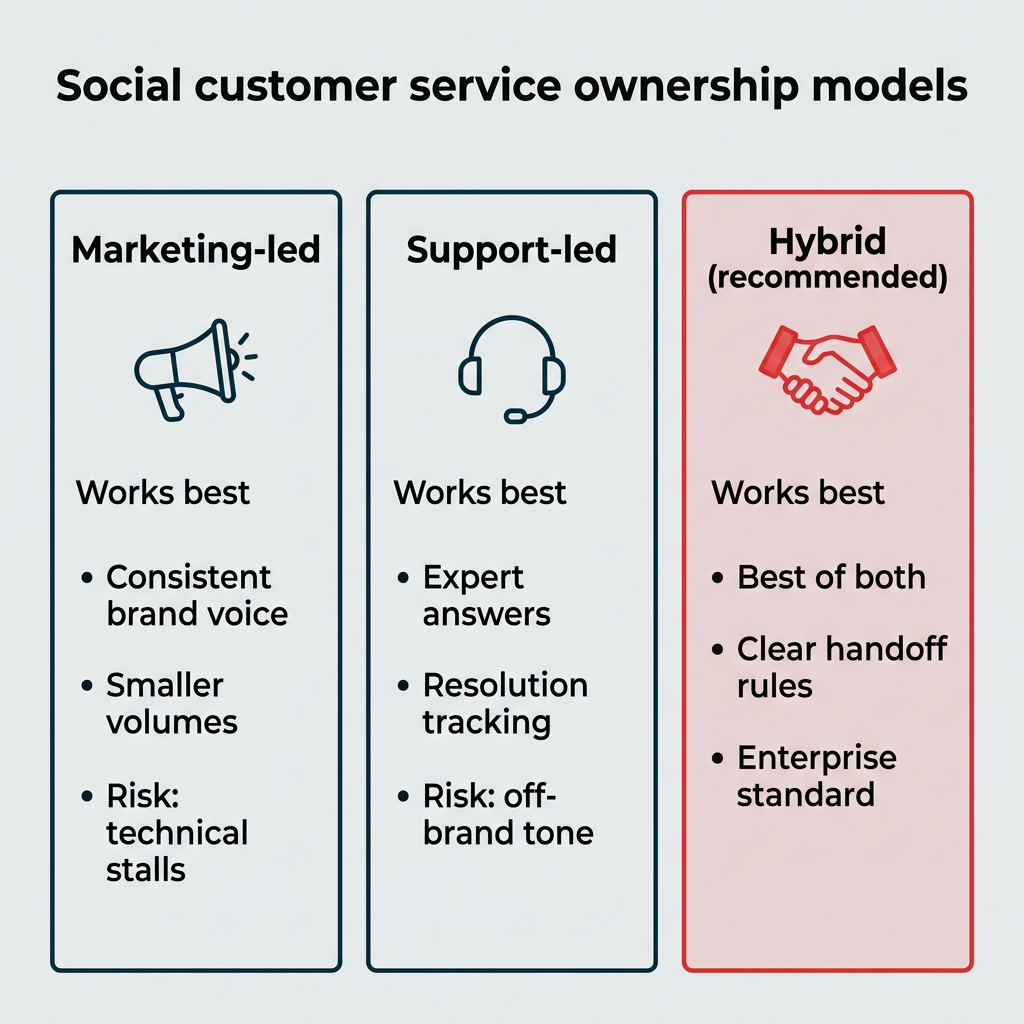
Once you know which channels you’re covering, the next question is who answers. For most enterprise teams, a hybrid model where marketing and support share responsibility works best. This approach combines consistent brand voice with expert resolution tracking, using clear escalation paths to ensure nothing falls through the cracks. Getting this right is the difference between dropped messages and a consistent customer experience.
There are three common ownership models to consider:
- Marketing-led: The social team handles all comments and DMs. This works well for smaller volumes and keeps brand voice consistent, but support questions can stall when issues get technical.
- Support-led: The customer support team owns social replies, often through a connected help desk. This ensures expert answers and proper resolution tracking, but replies can feel less on-brand.
- Hybrid or shared: Marketing manages engagement and brand voice while support handles complex resolutions, with a shared inbox and clear handoff rules. This is usually the strongest fit for enterprise teams.
Whichever model you choose, a shared workspace keeps everyone aligned. Hootsuite Social OS supports the hybrid approach by keeping conversations, assignment rules, and approvals in one governed workflow, so marketing and support can see the same thread without stepping on each other.
Where should you focus your social media customer service efforts? How can you optimize your channels for support? Below are eight social media customer service best practices to help you succeed.
- Respond quickly
- Use social listening to find and fix issues proactively
- Set expectations and consider dedicated support channels
- Personalize every response
- Reply to every comment and message
- Scale up with AI and chatbots
- Handle negative feedback professionally
- Make human support accessible
1. Respond quickly
77% of customers expect to interact with someone immediately when they contact a company. Aiming to respond within the first hour is the modern standard for social media customer service.
Keeping up is hard when volume is high. If you don’t have the hands to reply to every comment and DM manually all day, a unified inbox is the fix.
Nest, the customer care app inside Hootsuite Social OS, bridges the gap between engagement and customer service by letting you reply to comments and direct messages across all your social media platforms in one place.
Beyond speeding up replies, your entire team can use Nest to triage and assign conversations, set up alerts for messages that need answering right away, and see CSAT surveys alongside your other social media metrics in Hootsuite Analytics. That way you can tell if your customer service is working. Wisdom, the AI layer across Hootsuite Social OS, helps by surfacing context and suggesting where a message should go next.
2. Use social listening to find and fix issues proactively
Across all types of organizations, customers crave being listened to. Listening to your customers makes them trust you more.
How do you actively listen on social media? Using social listening tools, of course. Besides finding out what customers are saying in their comments and messages online, it gives you a big picture view of brand sentiment and how it changes over time. This can identify potential PR issues in their early stages and provide valuable feedback during and after launches and events.
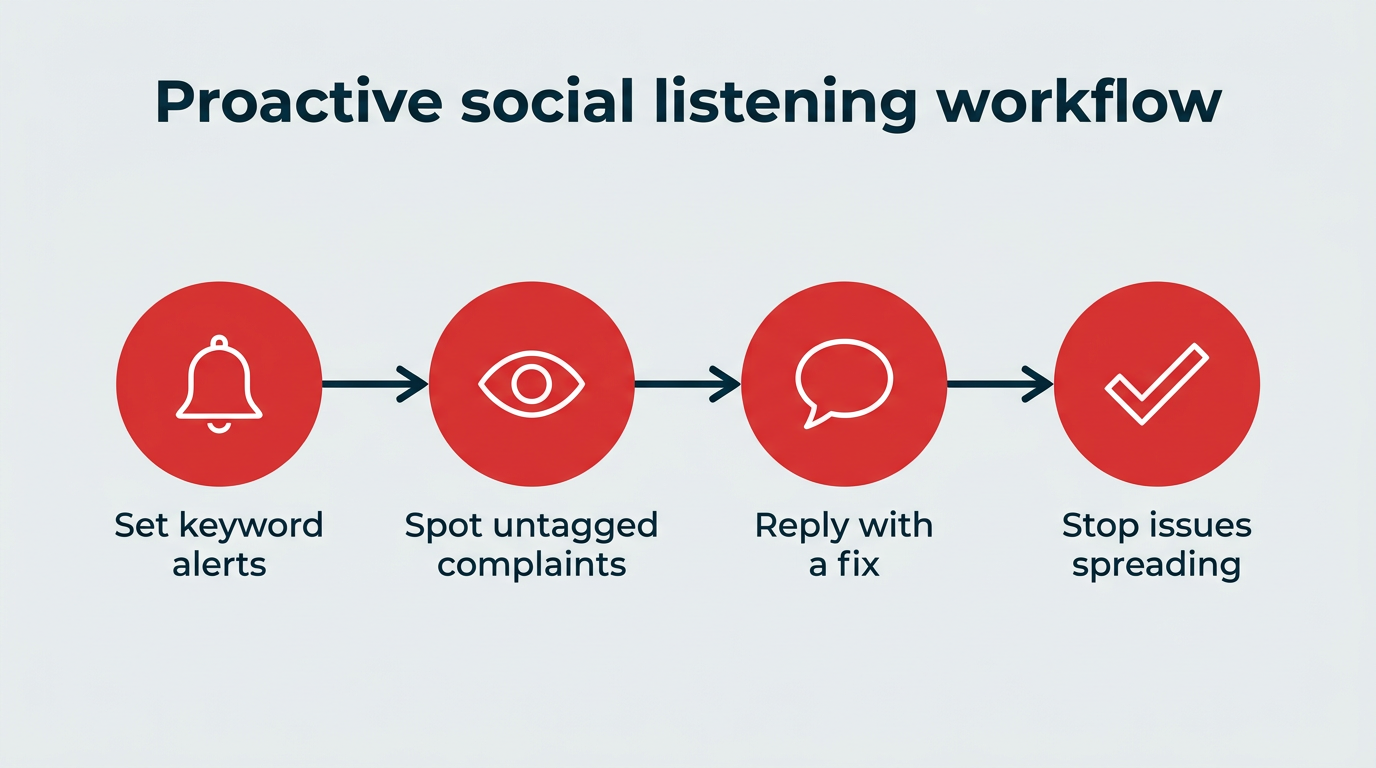
This is where proactive customer service starts. Plenty of complaints never tag your handle. Someone posts “my order still hasn’t shipped” with your product name spelled wrong, three people pile on, and by the time it reaches your inbox it’s a thread with screenshots. Keyword alerts for product names, common misspellings, and phrases like “won’t load” or “no refund” let you step in with a fix while it’s still one unhappy customer, not a trend.
Social listening is also an excellent research tool. With Lumen, the insights and listening app inside Hootsuite Social OS, you can automatically scan billions of online sources for posts and mentions of you, your products, or any keyword you specify, then build relationships by interacting with those posts.
For example, take a Reddit thread of someone asking for recommendations. Chime in on these posts with a mix of promotional content and informational content, such as offering strategic advice (if that’s what the poster is asking for).
3. Set expectations and consider dedicated support channels
Depending on your current audience size or how you manage comments and messages, you may want to create separate customer service channels. This can help speed up customer service replies if they’re not mixed in with other comments. Though, ideally, you’re aiming to get back to all types of comments as soon as possible (or instantly with AI chatbots, as mentioned earlier).
If you go this route, the most common account name adds “Help” to your business name, like AirBNB’s @AirBNBHelp account on X. Also consider options like @YourNameSupport or @AskYourName. Be sure to list your customer service channel in the bio of your main account so people know where to contact you.
Then tell people when to expect a reply. Unless you’re using an auto-reply or chatbot to answer incoming messages immediately (which you should), state your hours clearly in your bio and your auto-replies, since not everyone reads a bio before messaging. If you only answer during business hours, say that. If you do offer 24/7 service, say that. Offer support in multiple languages? Awesome, say that too.
4. Personalize every response
A reply that could have been sent to anyone usually feels like it was. Use the customer’s name, reference the specific order, product, or post they mentioned, and answer the question they actually asked rather than pasting a policy paragraph.
Templates still help for speed, but treat them as starting points. Swap in the detail that proves a human read the message, and skip the “we’re sorry for any inconvenience caused” phrasing that signals the opposite.
Context makes this easier at scale. Nest surfaces past conversations alongside the current one, so an agent can see that this is the customer’s third message about the same shipment before they hit send.
5. Reply to every comment and message
This goes without saying, but do your best to reply to all comments and messages. Not only is it polite and helps to build relationships, but regularly replying to your audience can also boost your content in the algorithm. Win-win!
Plus, it boosts your own account engagement and, to anyone viewing the post, shows you care about your customers.
6. Scale up with AI and chatbots
How can you provide personalized, friendly service at scale? AI chatbots are a big part of the answer. 61% of people prefer to use self-service channels for simple problems, and 55% of customers have used self-service chatbots.
That’s why 70% of CX leaders plan to integrate generative AI into many customer touchpoints within two years, with 57% anticipating that chat-based customer support will be heavily influenced by generative AI.
AI chatbots aren’t simply for providing programmed responses anymore, and they need to be excellent, since customers are 3x more likely to use third-party GenAI than company chatbots. Today’s chatbots understand context, remember an entire conversation, and adapt their language to respond clearly, accurately, and warmly. But AI goes beyond chatbots: it can auto-tag and route conversations to the right team, suggest replies to your agents, and detect sentiment so you catch issues early.
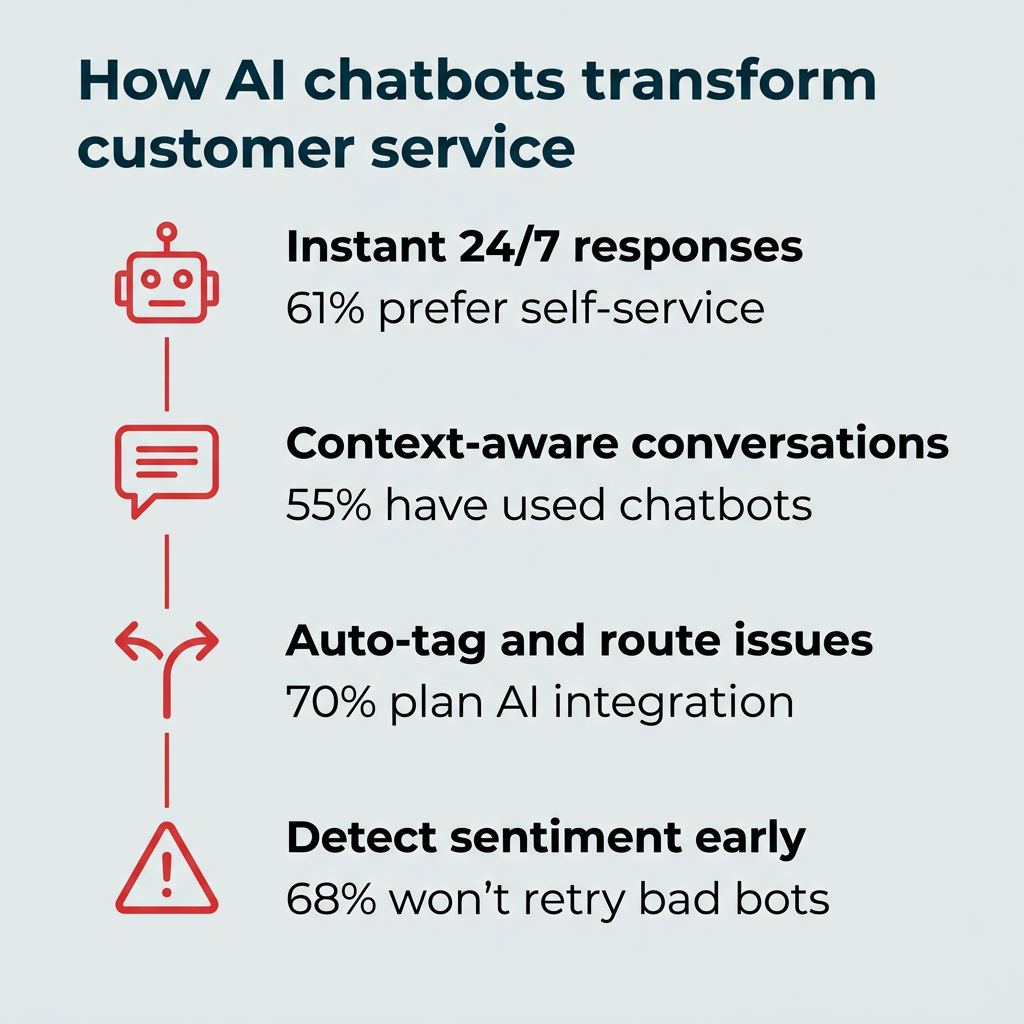
That personalization matters, since 68% of customers say they wouldn’t use a company’s chatbot again after a bad experience.
In Nest, you can set up automatic replies and a custom AI chatbot to answer FAQs instantly, with auto-routing and sentiment detection to flag the conversations that need a person. Because chatbots work 24/7, your team can focus on the complex issues that need a human touch.
7. Handle negative feedback professionally
Most of the time the internet is a friendly place, but once in a while a certain commenter seems intent on stirring things up. Don’t play into it.
That doesn’t mean ignoring negative comments. In fact, you should respond as quickly as possible to unhappy customers to prevent the issue from recurring and to try to turn the situation around. Time is often of the essence with negative experiences: a delivery error, a faulty product. Responding quickly shows you care about making it right.
But there’s a difference between genuine negative feedback and a false statement intended to damage your reputation. That difference can meet the legal definition of defamation, as in the case of a Canadian man ordered to pay $90,000 in damages to a business he posted false negative reviews about online. Legal action over a review is uncommon, but protecting your reputation without fueling conflict is important.
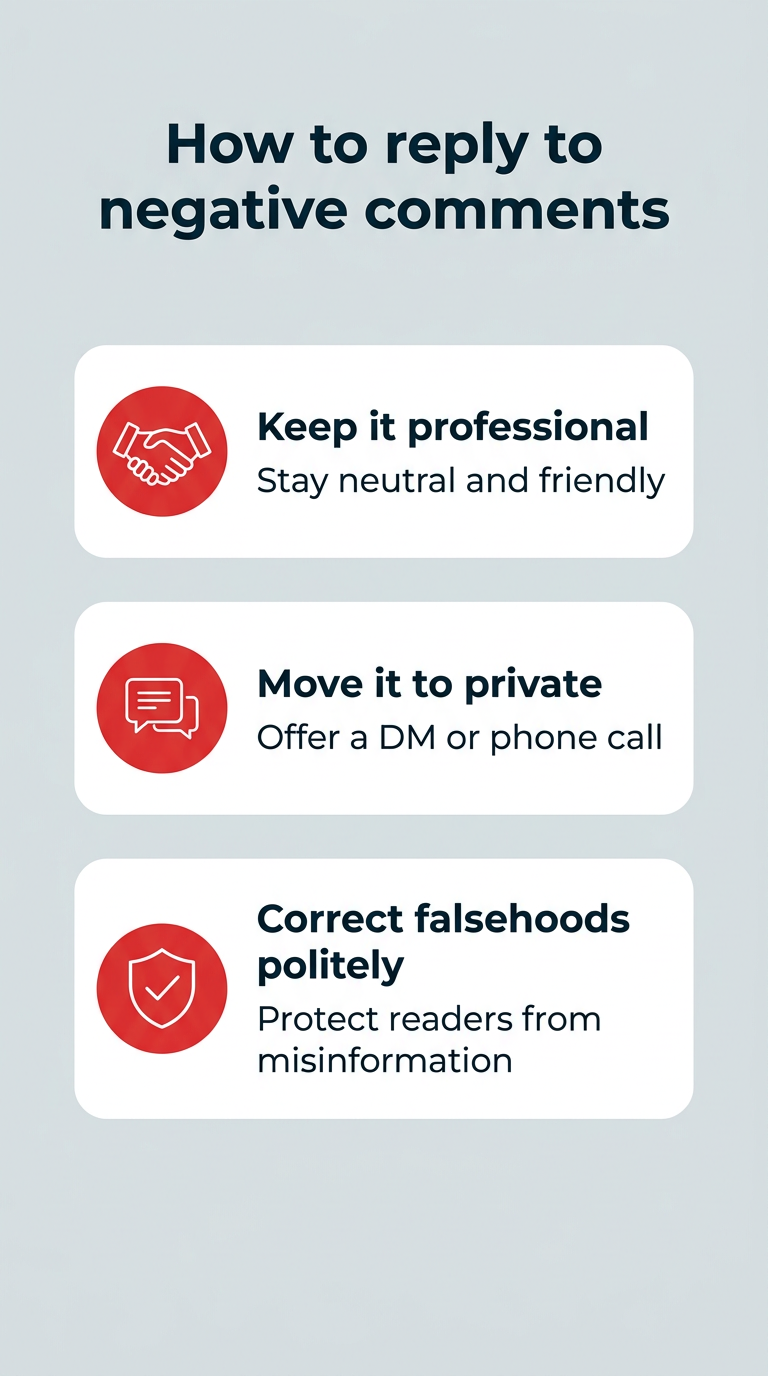
When replying to a negative comment or review, remember to:
- Keep it professional: Don’t let emotion get the best of you. It’s upsetting to read a negative comment, especially if you know it’s untrue, but keep your response as neutral as possible while still sounding friendly and helpful.
- Put the ball back in their court: Thank them for their feedback and offer to discuss their issue via private message or phone. Now it’s up to them to speak directly with you. If it’s genuine, they’ll reach out.
- If possible, address any blatant falsehoods: Did a commenter claim your washroom was out of order (and it’s not)? Thank them for their feedback but politely note that they may be confused with another establishment, as your washroom was fully operational on the day in question. This helps minimize the effect the review has on others who read it.
Remember: Lumen helps you monitor channels beyond your social profiles, like Yelp and Google Reviews, plus billions of sources, including podcast mentions.
8. Make human support accessible
Automating social media customer service tasks is necessary to reply to everyone quickly, and many customers prefer instant answers to common FAQs. But sometimes, customers need to talk to a real person. Complicated situations without a clear-cut logic path need to be talked through person-to-person.
Besides ensuring every customer can reach a human team member for support, you could consider offering a premium support option. Nearly half of customers are willing to pay more for better customer service. Offering a VIP account with faster access to human support can be a major differentiator between you and your competition.
When customers do interact with your support team, don’t be afraid to be human too. Admit and apologize for mistakes, and allow team members to show their own personalities (professionally) when working with customers.
Social media customer service examples that get it right
Best practices land better with proof. These brands take different approaches to social media customer service, and each one shows a habit you can copy.
Chewy: personalized replies that go beyond the ask
Chewy’s social team is known for replying to pet owners by name, referencing the specific pet, and following up on orders in a single DM thread. Customers routinely post screenshots of those exchanges, which spreads the brand’s reputation for service without any paid promotion behind it.
What makes it work is consistency. The tone is warm but the resolution is still concrete: a refund, a reship, a clear next step. Personalization doesn’t replace the fix, it wraps around it.
The copyable habit here is simple. Give agents access to order and pet details inside the same window where they reply, so personalization takes seconds rather than a system switch.
JetBlue: fast public resolution on X
JetBlue has long used X as a frontline support channel, replying publicly to delayed or rebooked passengers in minutes and moving ticket details into DMs. For travel, where a two-hour reply is useless, that speed is the entire value proposition.
The approach also sets expectations in the open. Other passengers watching the thread can see the airline is responding, which reduces duplicate messages during a disruption.
Copy this by setting a tighter response time target for time-sensitive issues than for general questions, and routing those alerts separately in your inbox.
Wendy’s: personality with a support backbone
Wendy’s built a following on playful replies, but the account still handles real complaints about orders and store experiences. The humor is reserved for banter, and genuine issues get a straight answer and a path to resolution.
That split is the lesson. Personality earns attention, but it only holds up when a frustrated customer gets a useful response in the same feed.
If your brand voice leans informal, write guidelines that spell out when to drop the humor. Tone is a choice per message, not per account.
Adobe: proactive outreach through listening
Adobe’s support accounts regularly respond to users who never tagged them, replying to posts about crashes, licensing confusion, or feature questions found through monitoring. Catching those conversations early stops small frustrations from becoming public pile-ons.
It also generates product feedback. Recurring complaints surfaced through listening tell the product team what to fix, not just what to apologize for.
To copy this, build keyword alerts for untagged brand mentions and common error phrasing, then assign a daily owner to work that queue.
Some of the fastest ways to lose trust on social are also the most common. Watch for these:
- Deleting negative comments: Removing genuine criticism tends to escalate it, often with a screenshot attached. Reserve deletion for spam, harassment, or content that breaks platform rules.
- Copy-paste replies: Identical responses stacked under one post read as a script. Vary the wording and address the specific issue.
- Answering public comments but ignoring DMs: Private messages are where the real resolutions happen. An unanswered inbox undoes the goodwill your public replies earned.
- Slow escalation: If an agent can’t resolve something, a handoff should take minutes, not days. Document who owns what before volume spikes.
- Over-automating: A bot with no path to a human traps frustrated customers in a loop. Forrester predicts one-third of brands will erode trust through frustrating AI self-service in 2026, so always offer an exit to a person.
The best social media customer service tools combine a unified inbox, social listening, AI chatbots, analytics, and CRM integration so you can respond fast and measure results. Use the table below to figure out what you already have covered and where the gaps are.
Tool category | What it does | What to look for |
|---|---|---|
Unified social inbox | Pulls comments and DMs from every platform into one view so nothing gets missed | Assignment, alerts, saved replies, approval workflows, conversation history |
Social listening | Scans the web for mentions of your brand, products, and competitors | Untagged mention detection, sentiment tracking, review site coverage, alerting |
AI chatbots | Handles routine questions 24/7 so agents focus on complex issues | Context retention, clean human handoff, multilingual support, auto-routing |
Analytics and reporting | Measures response time, CSAT, and resolution rates | Custom reports, scheduled delivery, CSAT surveys, team-level views |
CRM and help desk integration | Connects social conversations to customer records and tickets | Two-way sync, ticket creation, secure authentication, agent-side visibility |
Hootsuite Social OS brings these together. Nest is your unified social inbox with AI chatbots, auto-routing, and CSAT surveys. Lumen monitors billions of sources for brand mentions and sentiment, and Hootsuite Analytics ties it all back to ROI.
You can see exactly what’s included across Hootsuite plans, which start at $99 per user per month on Standard, $249 on Advanced, and custom pricing for Enterprise.
Turn customer conversations into your next breakthrough product
Request a demo to see how Hootsuite can help your product team discover emerging trends, validate ideas with real customer insights, and bring better products to market faster.

How to integrate social media with your help desk
Social conversations lose value when they sit apart from the rest of your customer record. If an agent can’t see that the same person opened a ticket last week, they ask questions the customer has already answered.
Connecting your social inbox to a CRM or help desk fixes that. The integration should let agents view customer history, create or update tickets from a social thread, and track resolution in the system leadership already reports on. For enterprise teams, look for secure authentication and clear audit trails so governance holds up.
Nest supports both sides of this. You can connect it to Salesforce so your support team handles social DMs in a familiar channel, and a Zendesk integration using OAuth 2.0 lets social conversations flow into existing ticket queues.
You measure social media customer service success by tracking metrics that show whether customers are getting fast, satisfying support, such as response time, CSAT, and resolution rate. As marketers like to say, you can’t know where you’re going unless you’ve tracked where you’ve been.
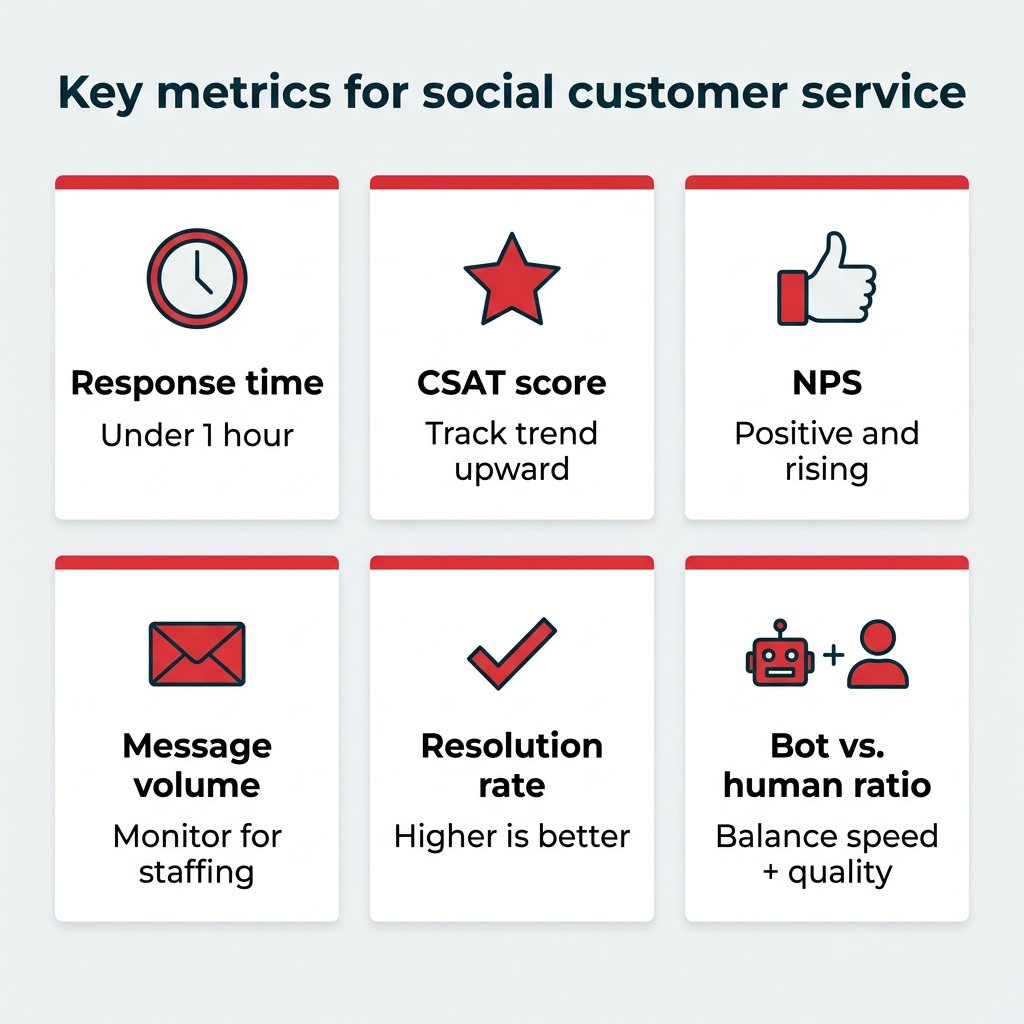
While you’re most likely already tracking follower growth, engagement rate, comments, and likes, are you tracking the customer service metrics that tell you if your support is working? Here are the key social media customer service metrics to track:
Metric | Definition | Benchmark / target |
|---|---|---|
Average response time | How long customers wait for a reply | Within 1 hour |
Customer satisfaction score (CSAT) | How satisfied customers are after an interaction | Higher is better; track trend over time |
Net promoter score (NPS) | How likely customers are to recommend you | Positive and trending up |
Message volume | Total inbound messages over a period | Track for staffing and trends |
Resolution rate | Share of issues resolved | Higher is better |
Automated vs. human responses | Ratio handled by bots vs. agents | Balance speed with quality |
Set your own baseline before you chase an industry average. Pull three months of data per channel, note where response times slip, then set targets by message type, since a shipping question and an outage complaint don’t deserve the same clock.
Hootsuite Analytics tracks all your key social media metrics and makes sense of your true social ROI, including for customer service. Measure organic and paid campaigns, comments, messages, and engagement, then customize reports and automate delivery via email. That makes the leadership conversation easier: you can show how faster replies track against retention, repeat purchases, and brand sentiment rather than reporting reply counts in isolation.
FAQ: Social media customer service
What is the average response time for social media customer service?
Which social media platform is best for customer service?
How do you handle negative comments on social media?
Should customer service be handled by marketing or support teams?
What tools do you need for social media customer service?
How do AI chatbots improve social media customer service?
What is proactive social media customer service?
How do you measure social media customer service success?
How do you integrate social media customer service with a CRM?
What is the 3-3-3 rule for social media?
Save time managing your social media marketing strategy with Hootsuite. Publish and schedule posts, find relevant conversions, measure results, and more â all from one dashboard. Try it free today.